Website AI Verification Check
An AI-powered review to reduce moderation and enforcement errors.
Improved Table Experience – Design & Usability Upgrade
We’ve enhanced table components across the platform for a more consistent, intuitive experience.
Improved Post Risk Score Visualization
Post Risk Scores are now easier to interpret at a glance.
Improved Website Link Access
Faster access to live website sources
Product Line & SKU Configuration
Product Lines and SKUs are now first-class entities in Zeal, enabling more accurate filtering, dashboards, and reporting—especially for Grey Market analysis.
Product Line & SKU Filters
Drill down into activity at the product and variant level.
Website Insight Filter
Quickly focus on higher-risk websites.
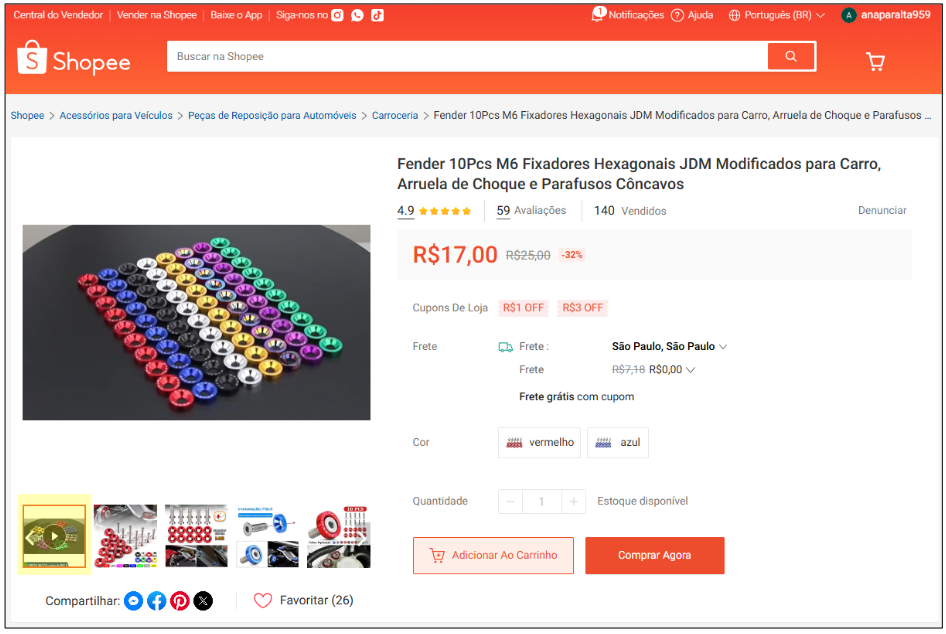
Video Screenshots on Shopee
Video posts on Shopee now generate screenshots for quicker review.
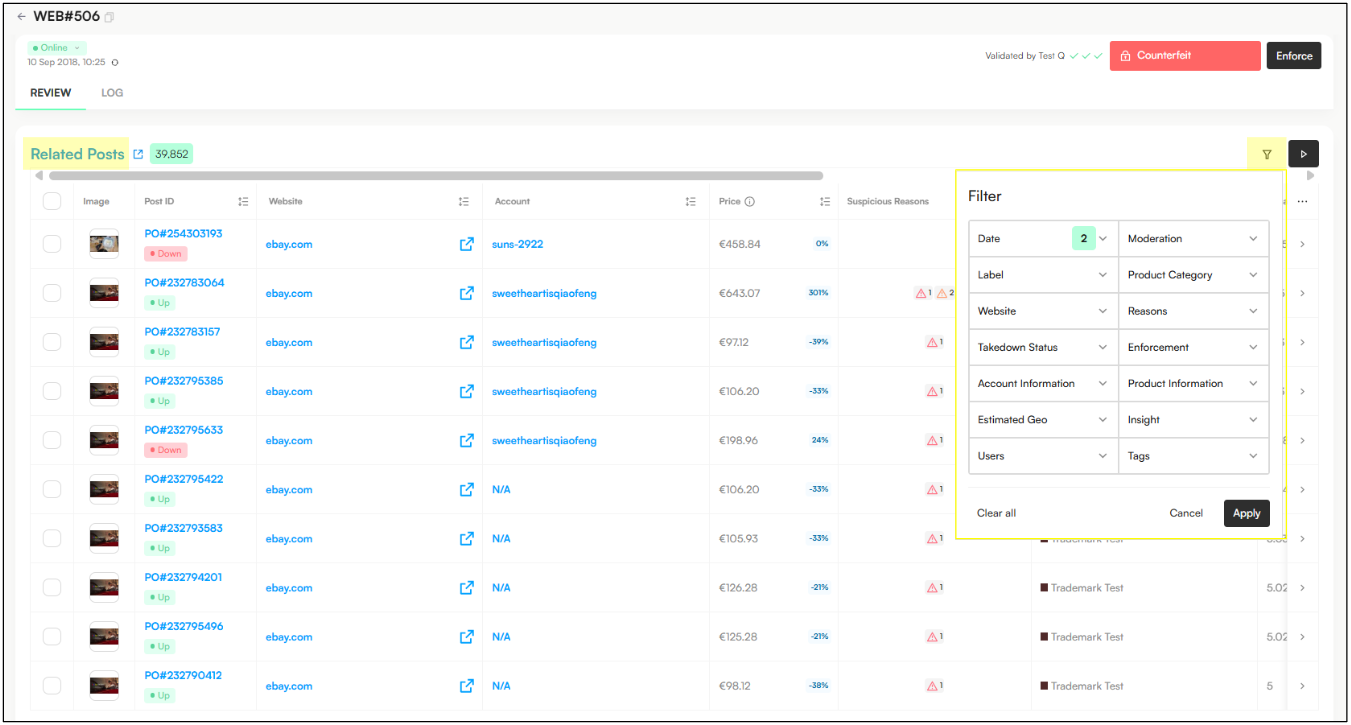
Filter Related Posts Table
Make bulk moderation faster when working with similar content.
Highest Search Rank Filter & Insights
Prioritize posts with the highest visbility
Auto-enforcement Rules
Automate enforcement decisions to improve speed and consistency.
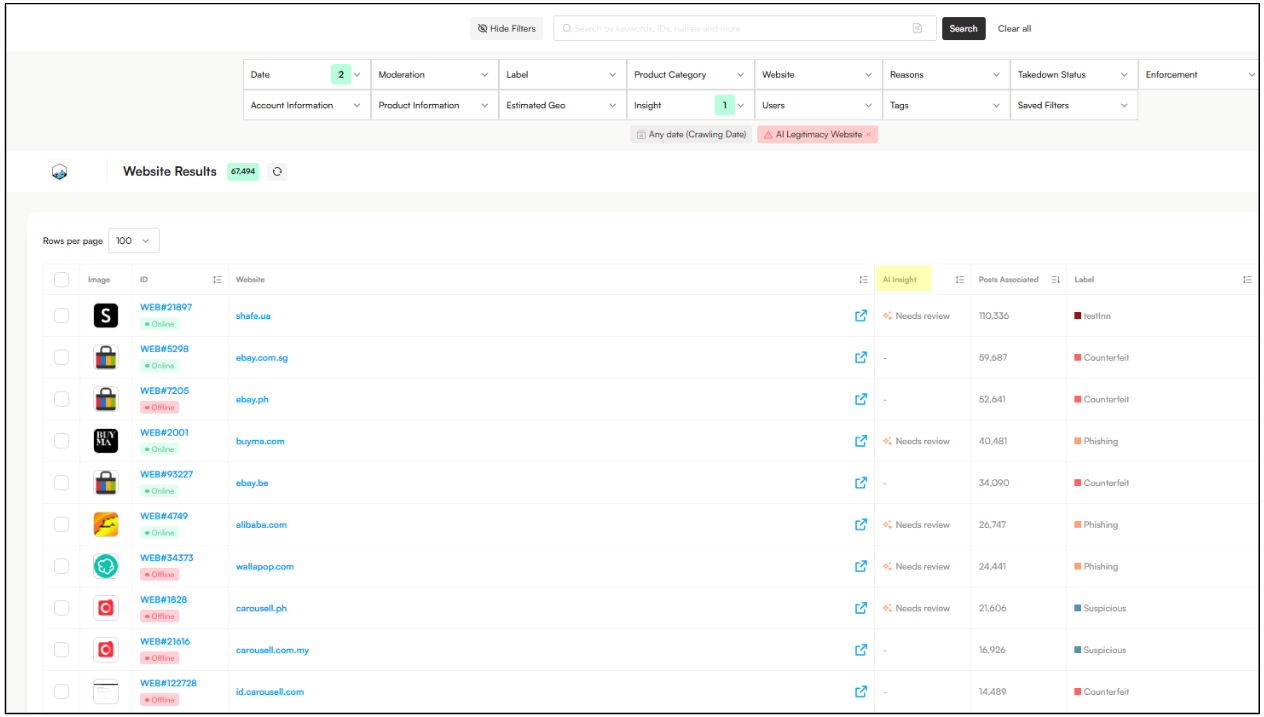
We’ve introduced an AI-powered website verification check to help prevent moderation and enforcement errors by identifying whether a website is likely legitimate or potentially suspicious.
This review uses an LLM to assess a website’s online reputation, including Google search results, media coverage, and reviews—adding an extra layer of confidence before action is taken.
Note: Use the new filter under Insight → Include/Exclude → AI Legitimacy Website
Website Feed View
New column showing Likely Legitimate or Potentially Suspicious/Needs Review
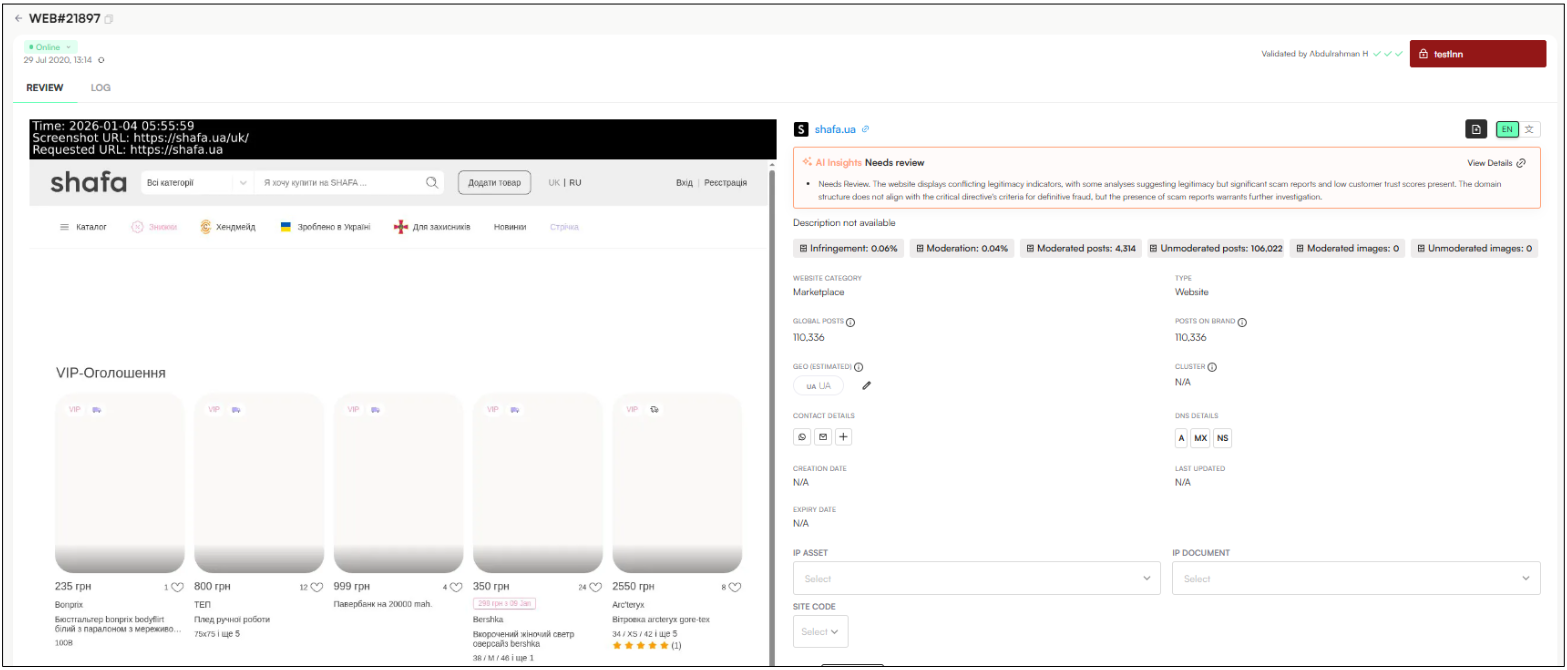
Website Moderation Page
Clear AI insight summary on website legitimacy
Ability to block websites from being treated as actionable infringements based on AI review
The verification check considers multiple signals, including:
Suspicious keywords (e.g. sale, cheap, outlet)
Uncommon or high-risk domains (e.g. .xyz, .top, .shop)
Lack of independent mentions (news, reviews, social media)
Presence of scam reports or warnings
Brand name usage or obfuscation within the domain
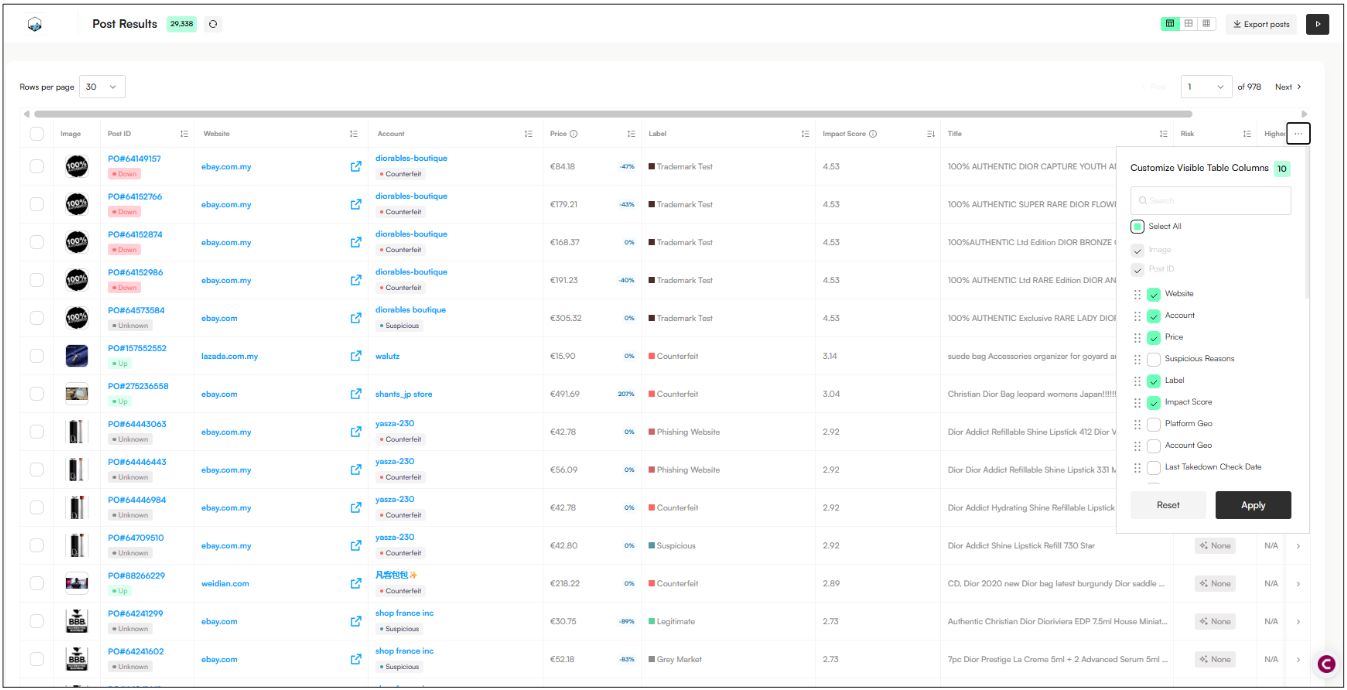
We’ve improved our table components to create a more consistent, intuitive, and efficient experience across the platform.
Better data navigation
Sortable columns
Improved pagination with page view, items per page, and smooth scrolling
Cleaner design & styling
Updated table and header styling
Improved text alignment and readability
Consistent cell, row, and column spacing
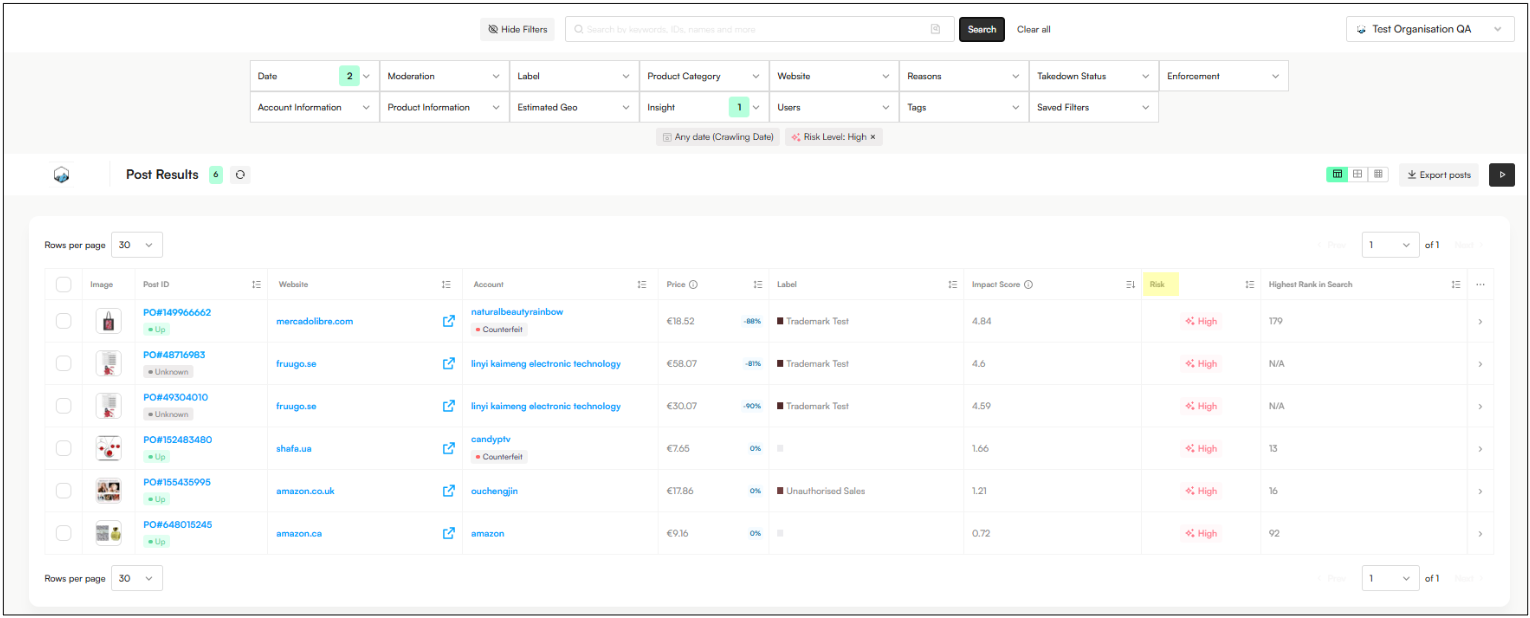
We’ve updated how Post Risk Scores are displayed to make them easier to understand and act on at a glance (only available in Post View for now).
Risk scores are now shown using clear tiers and color coding
Standardized risk buckets:
High: > 0.7
Medium: 0.2 – 0.7
Low: < 0.2
None: 0
Hover for details to see the factors contributing to a post’s risk score (TBC)
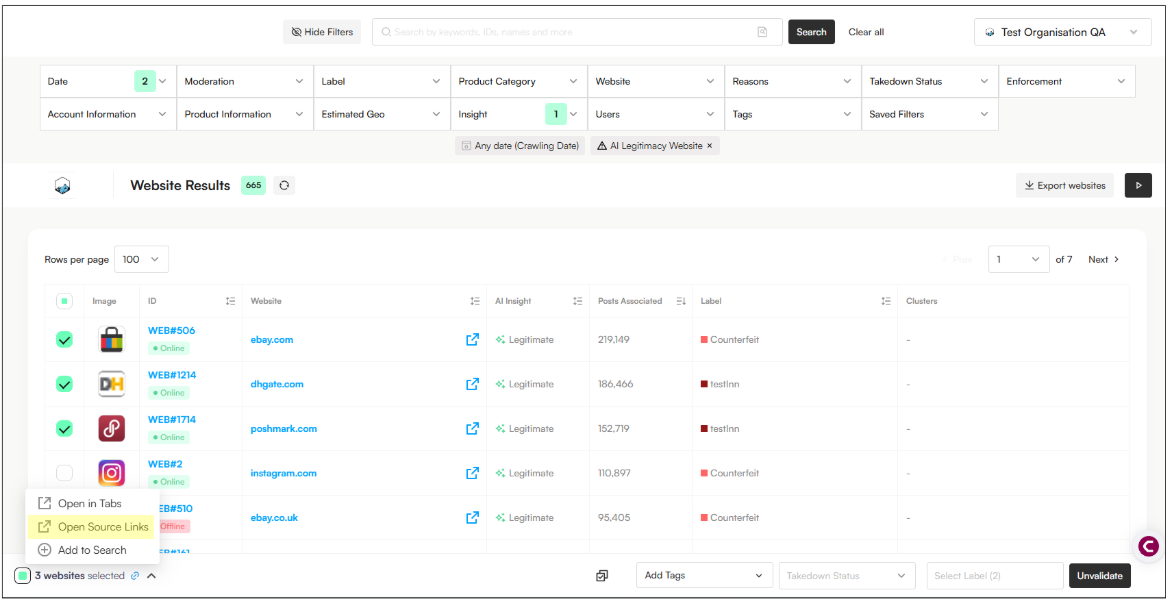
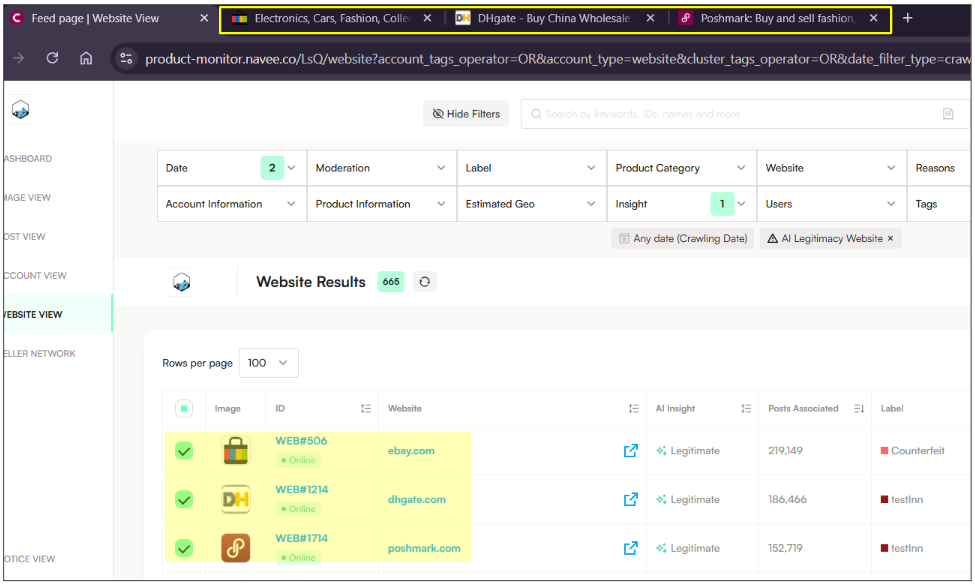
We’ve improved how you access website sources directly from the Website Feed, making investigation faster and more seamless.
Open source websites directly from the Website Feed (instead of the moderation page)
Ability to open multiple source links in bulk from the table footer
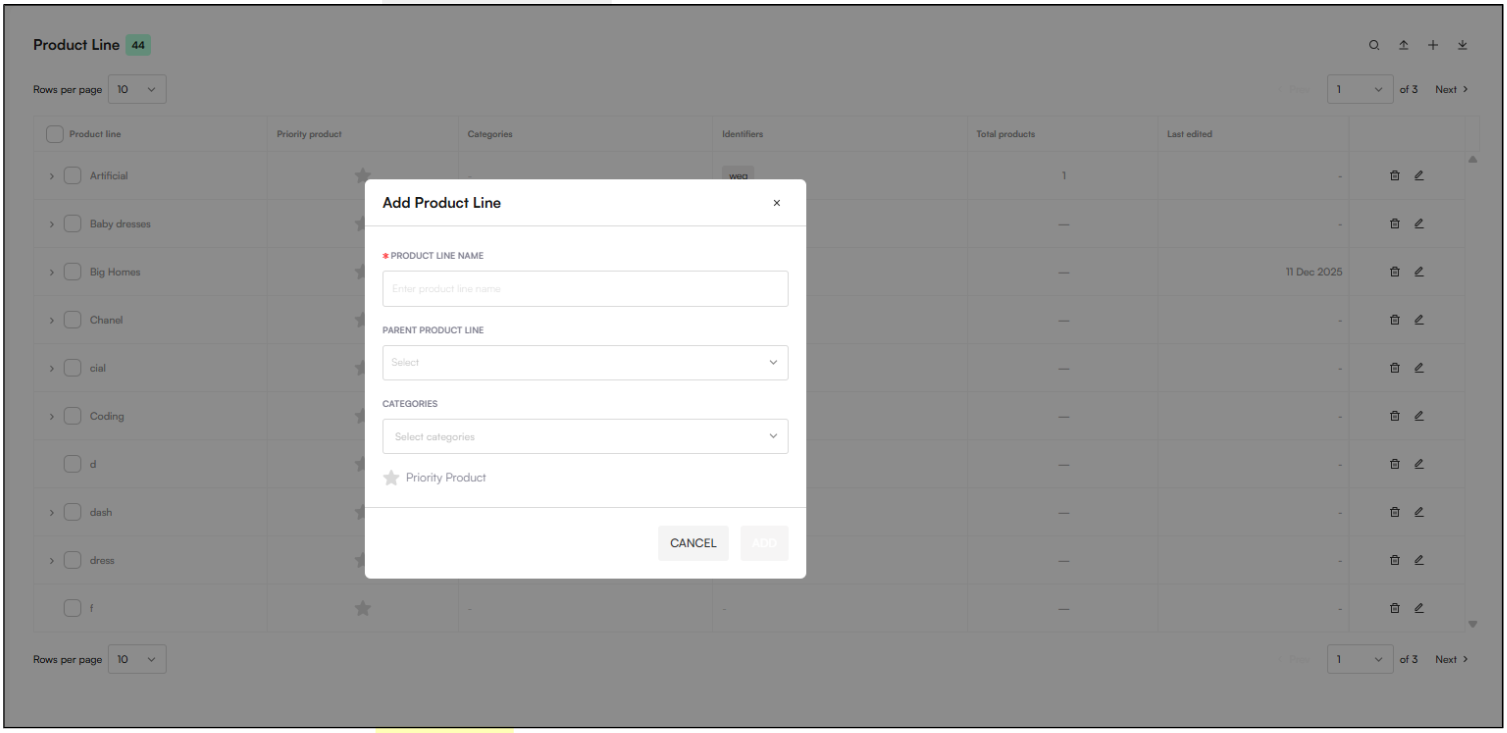
Product Lines and SKUs can now be configured as first-class entities in Zeal. This enables more accurate filtering, dashboards, and reporting, and is especially valuable for Grey Market analysis, where pricing and sales trends matter most.
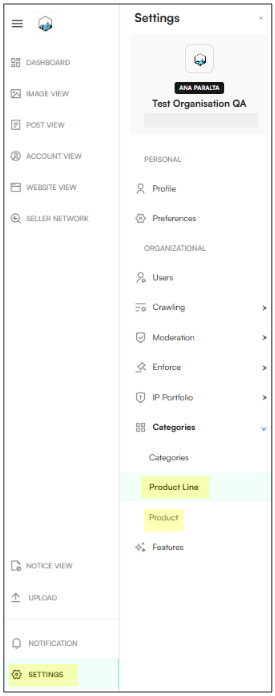
Product Line configuration
Product Lines can belong to multiple categories
Each Product Line can contain multiple SKUs
Supported attributes include:
Product name, brand, and images
Linked product categories
Keywords and image features used for detection
Linked SKUs (unique identifiers)
Linked IP assets for enforcement
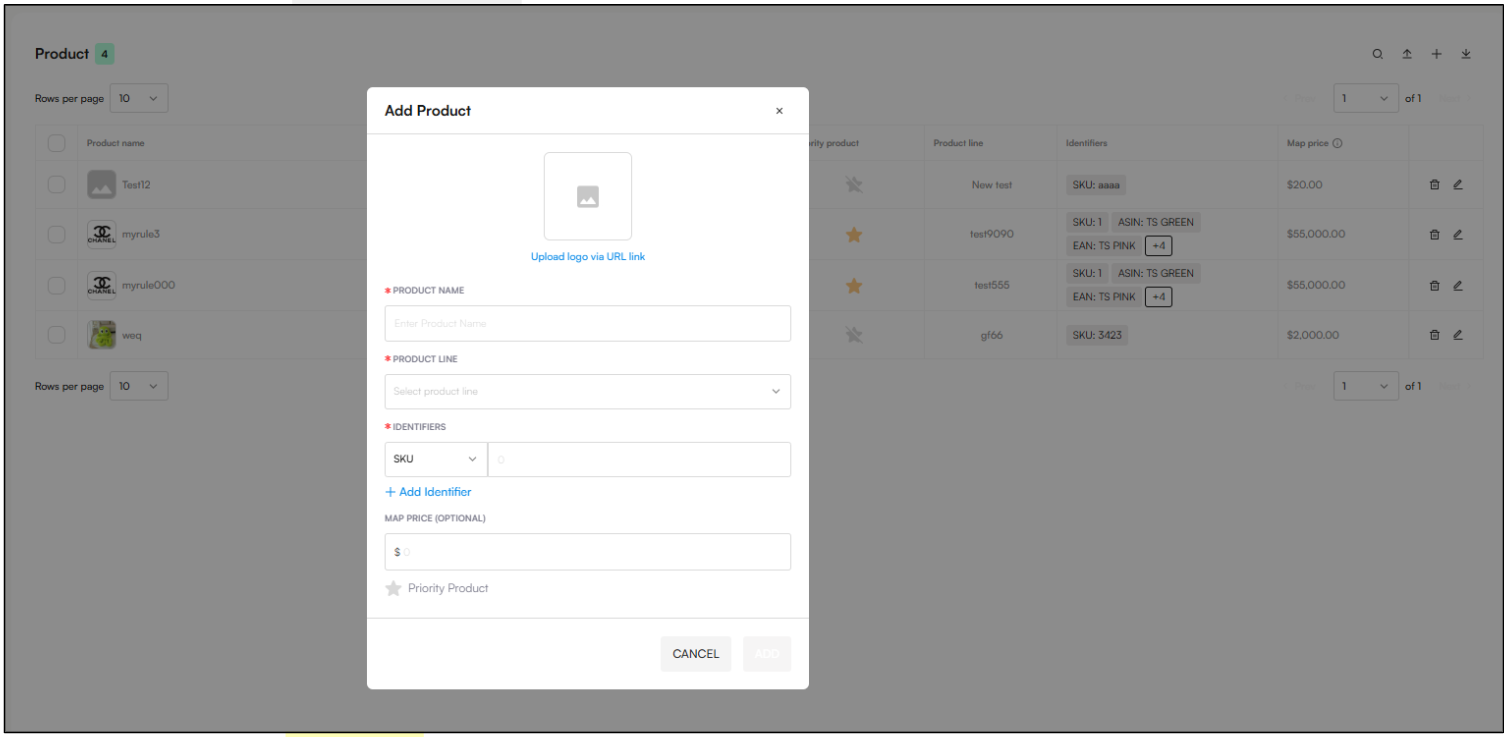
Product SKU configuration
Unique SKU number per variant
Linked to a Product Line
Detection keywords (SKU number included by default – TBC)
Optional UPC/EAN/GTIN codes
Optional marketplace IDs (e.g. Amazon ASIN)
Optional MAP pricing
Support for parent-child variants (size, color, model)
Management features
Bulk upload Product Lines and SKUs
Add, edit, and view Product Lines
Add and edit SKUs
Related articles:
How to Configure Product Line & Products
You can now filter results by Product Line and SKU, making it easier to analyze activity and drill down into specific products.
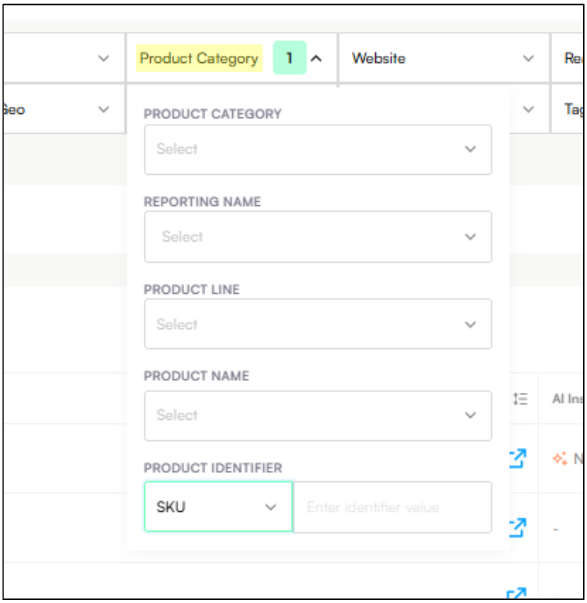
Product Line filter with a tree view for easy navigation
SKU filter with search and tag selection
Quickly narrow results to specific products or variants
Dashboard
Post page
Image view
Account View
Website View
Seller Network
Related articles:
How to Configure Product Line & Products
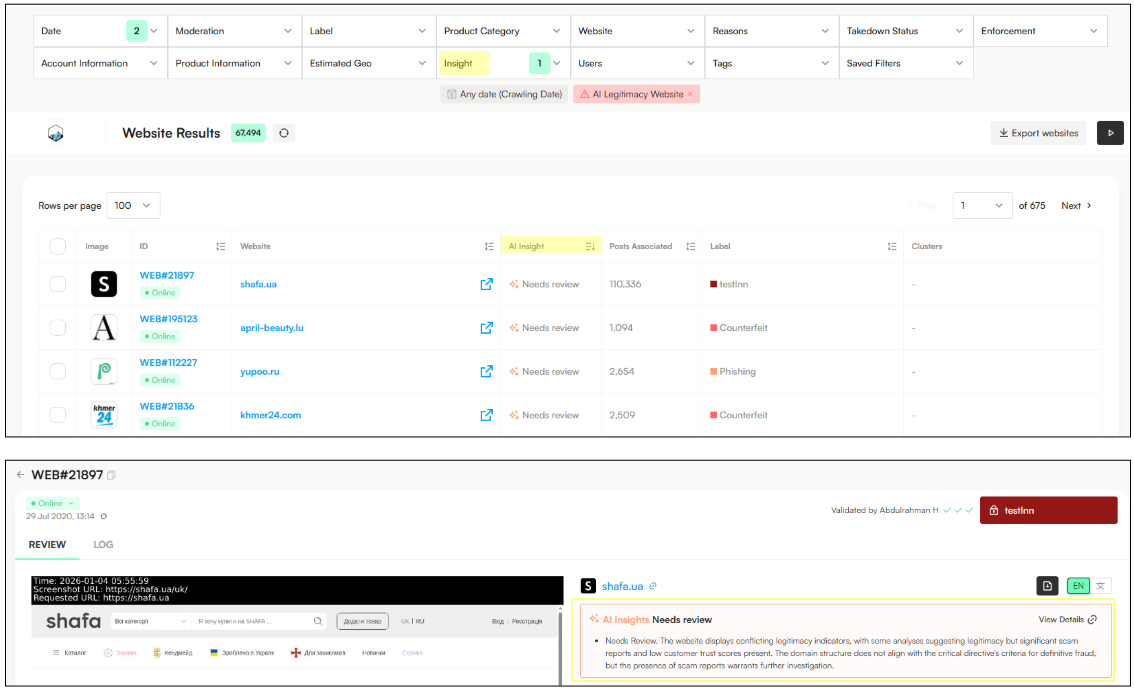
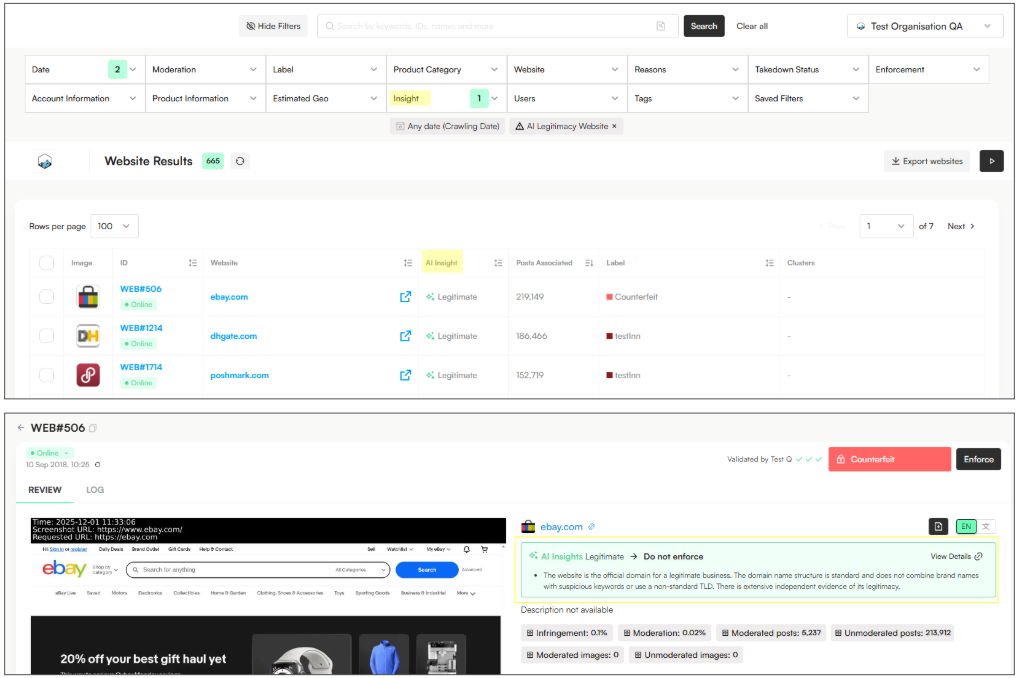
We’ve added a new Website Insight filter to help you quickly separate legitimate websites from those that may pose a higher infringement risk.
New filter for Websites predicted to be legitimate
Option to exclude legitimate websites from results
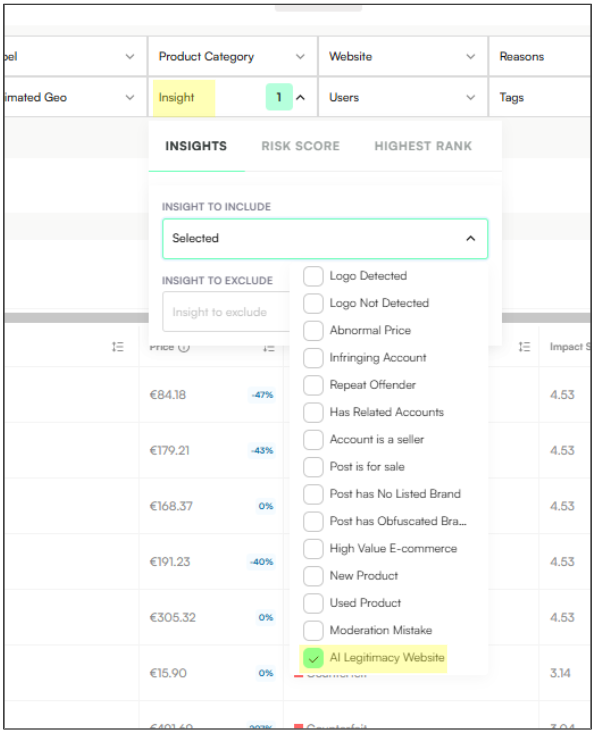
Exclude AI Legitimacy Website → Shows potentially infringing results:
Include AI Legitimacy Website → Shows Legitimate results:
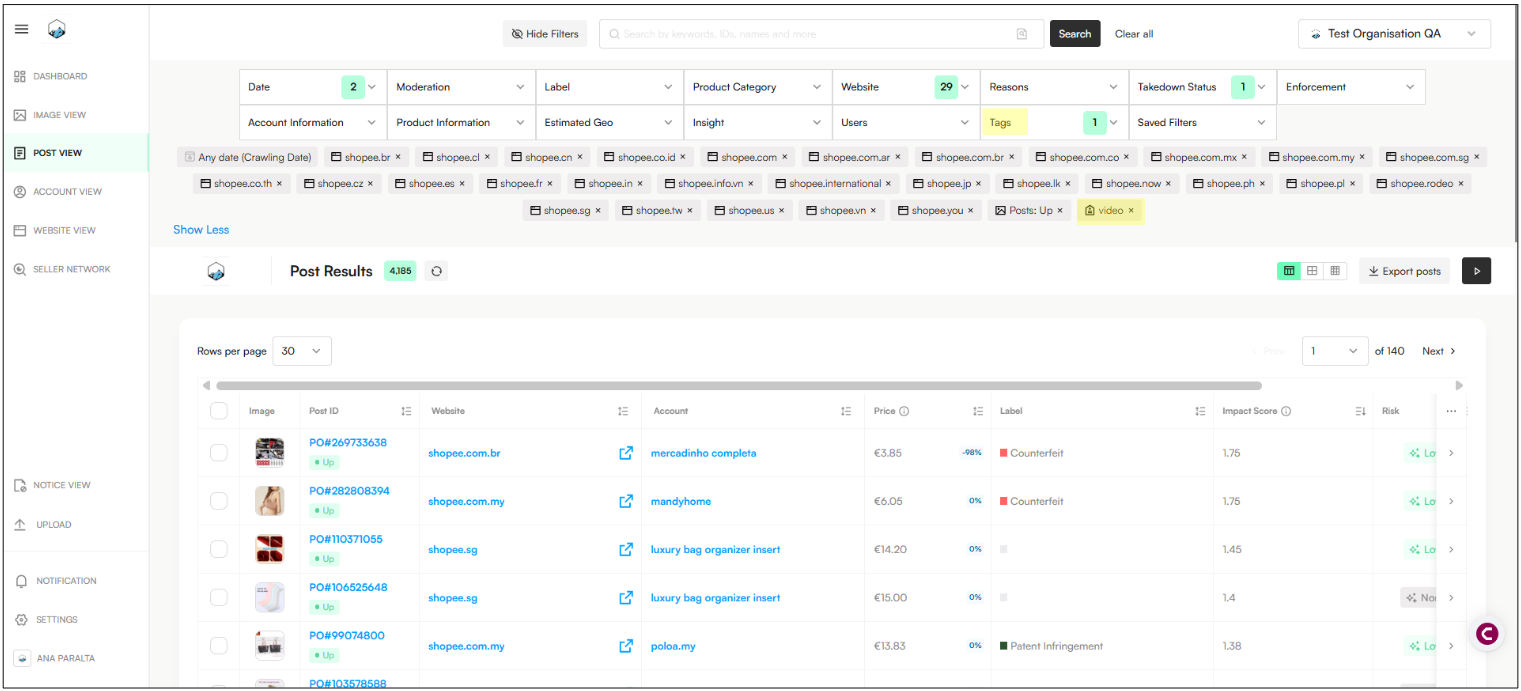
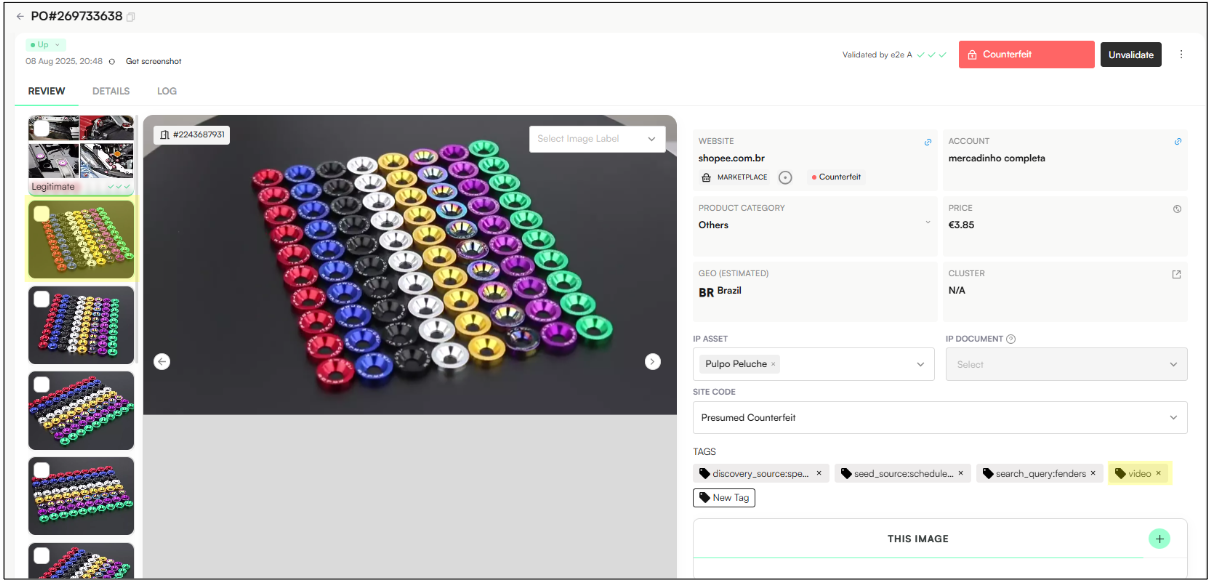
Video posts on Shopee are now automatically converted into screenshots, making video content faster and easier to review.
Posts that contain videos are now automatically converted into image screenshots
These posts are easy to find using the video tag
Note: Posts that were already down (offline) before the implementation of this feature may not contain this screenshot.
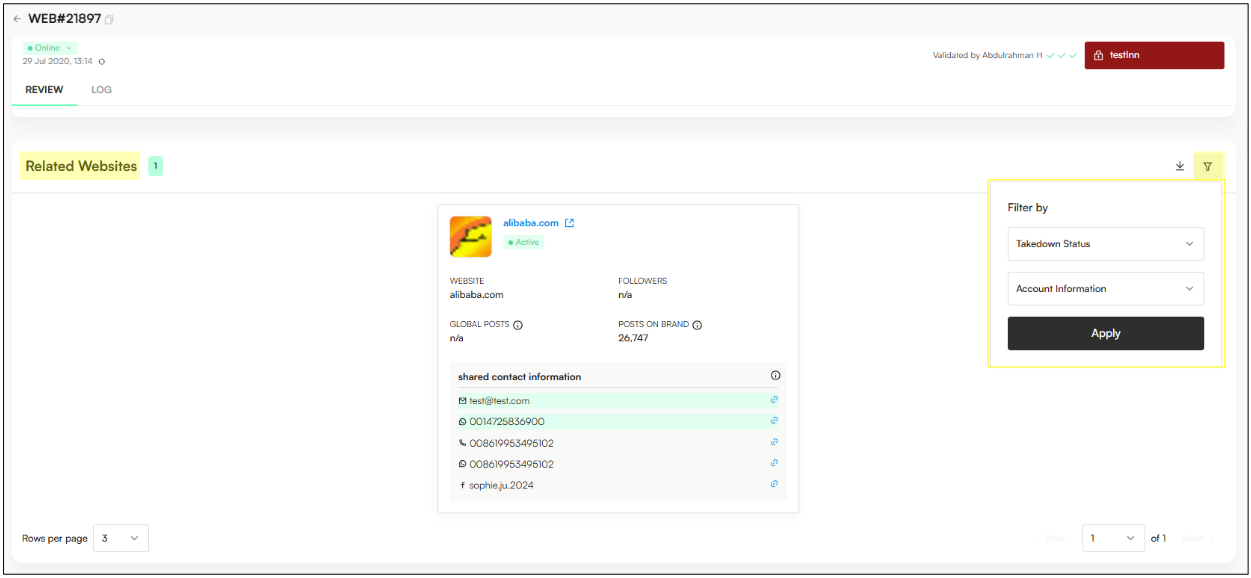
You can now filter Related Posts tables to quickly find and act on similar content—making bulk moderation faster and more efficient.
Filters added to Related Posts tables in:
Image View
Post View
Account View
Website View → Related Websites → Filter by Takedown Status and Account Information
Seller Network
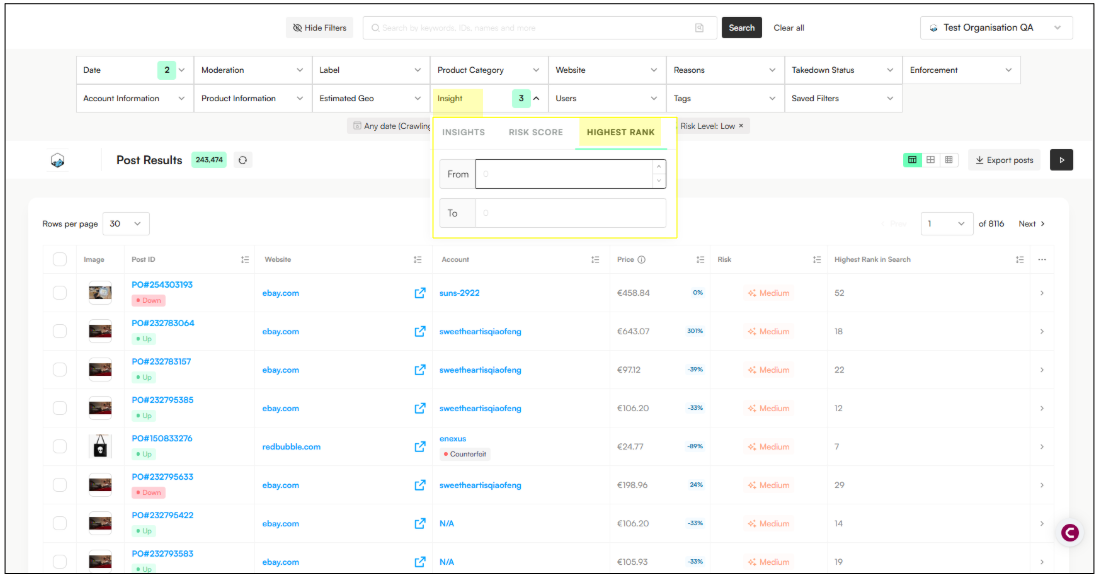
You can now identify and prioritize posts based on Risk and posts that appear high in search results, helping you focus on the most visible and impactful infringements.
New Risk Score Filter under Insight filter:
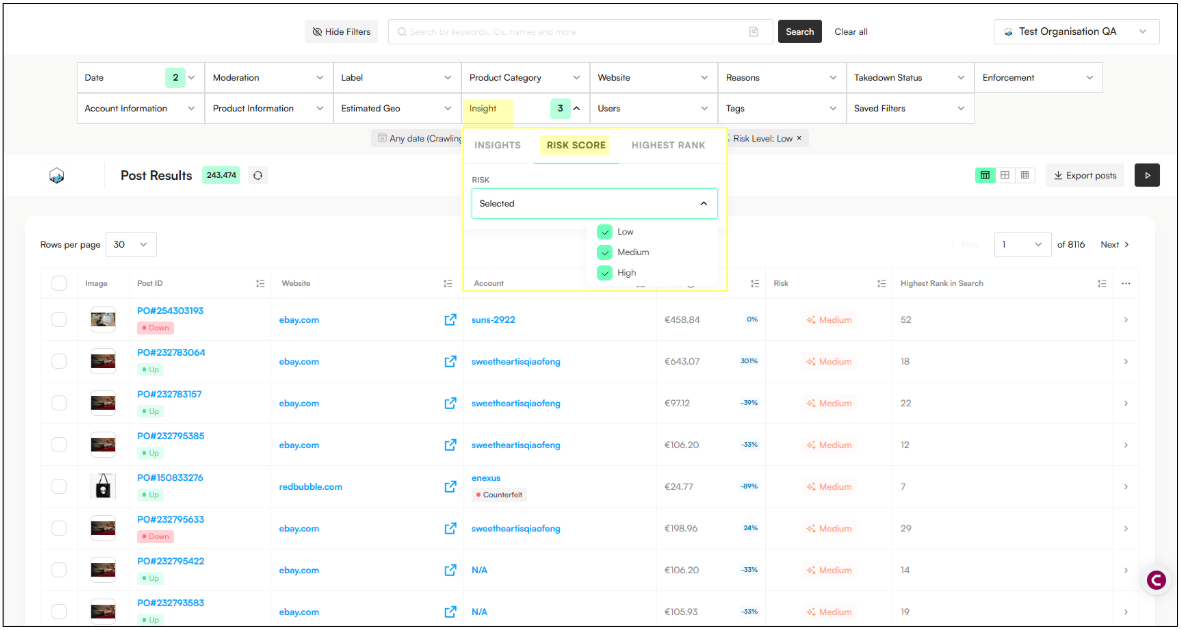
New Highest Rank in Search filter with from/to range selectors (filter for How Many Search Terms have been found):
Option to add Highest Rank as a column in customizable tables:
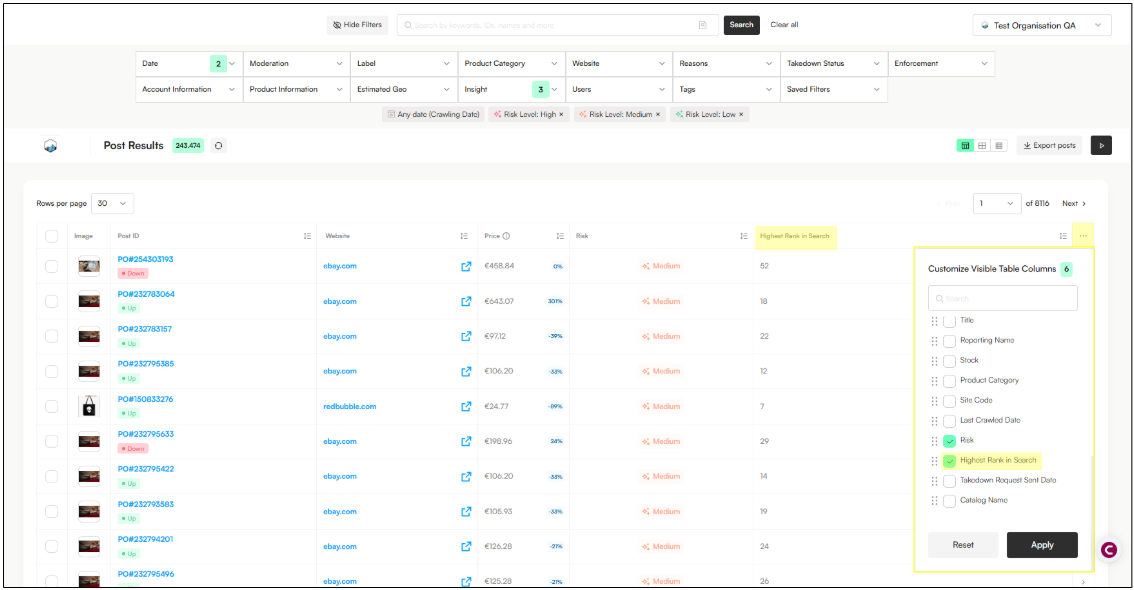
Support for data export, including highest rank values.
Standardized Risk Thresholds:
High: > 0.7
Medium: 0.2 – 0.7
Low: < 0.2
None: 0
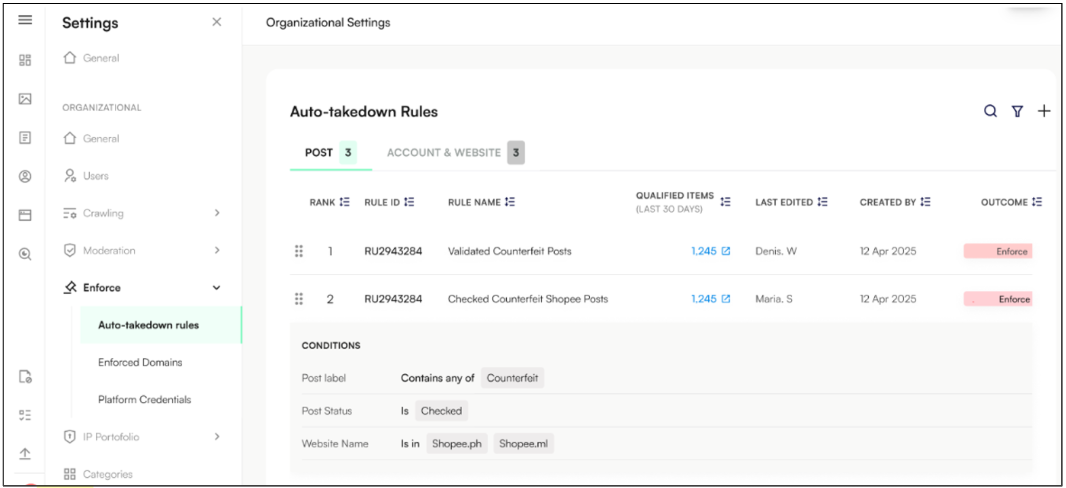
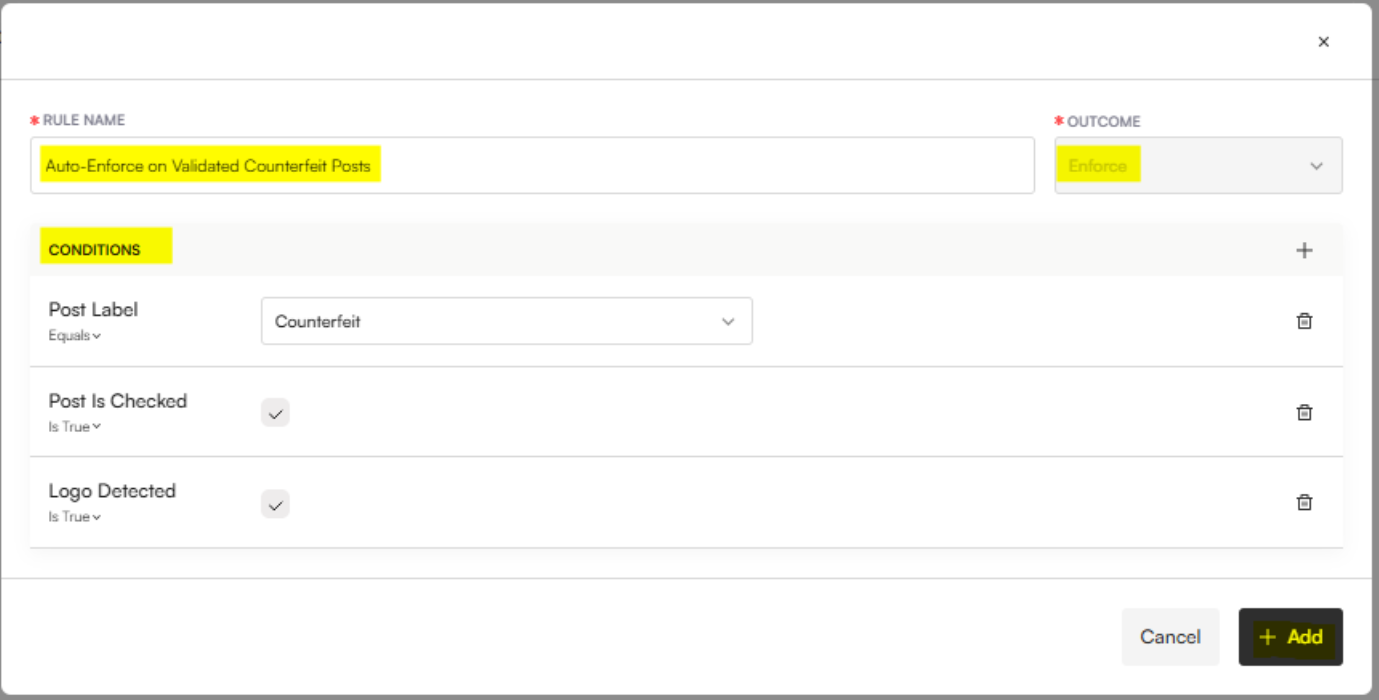
You can now configure auto-takedown rules to automatically send content for enforcement when specific criteria are met. These rules apply to posts, accounts, and websites and are designed to speed up takedown workflows and reduce manual effort.
At this stage, auto-rules support enforcement only. “On Hold” and “No Action” outcomes will be introduced in a future update.
Automatically send listings for takedown once rule conditions are met
Rules can be configured for Posts, Accounts, and Websites
Improves consistency and efficiency in enforcement decisions
Post rules can include:
Moderation status or method
Product categories, platforms, and regions
Post labels, tags, or keywords (e.g. counterfeit)
Validated images or image labels/reasons
Account attributes (e.g. labels, follower thresholds)
Account rules can include:
Account status and moderation method
Product categories, platforms, and regions
Account labels
Repeat counterfeit behavior (e.g. multiple posts with validated counterfeit images)
Automatically mark content as Eligible for Takedown
Related articles: