Automated Image Feature Detection identifies elements (e.g., brand logos, infringing design features, or products) once computer vision models are trained.
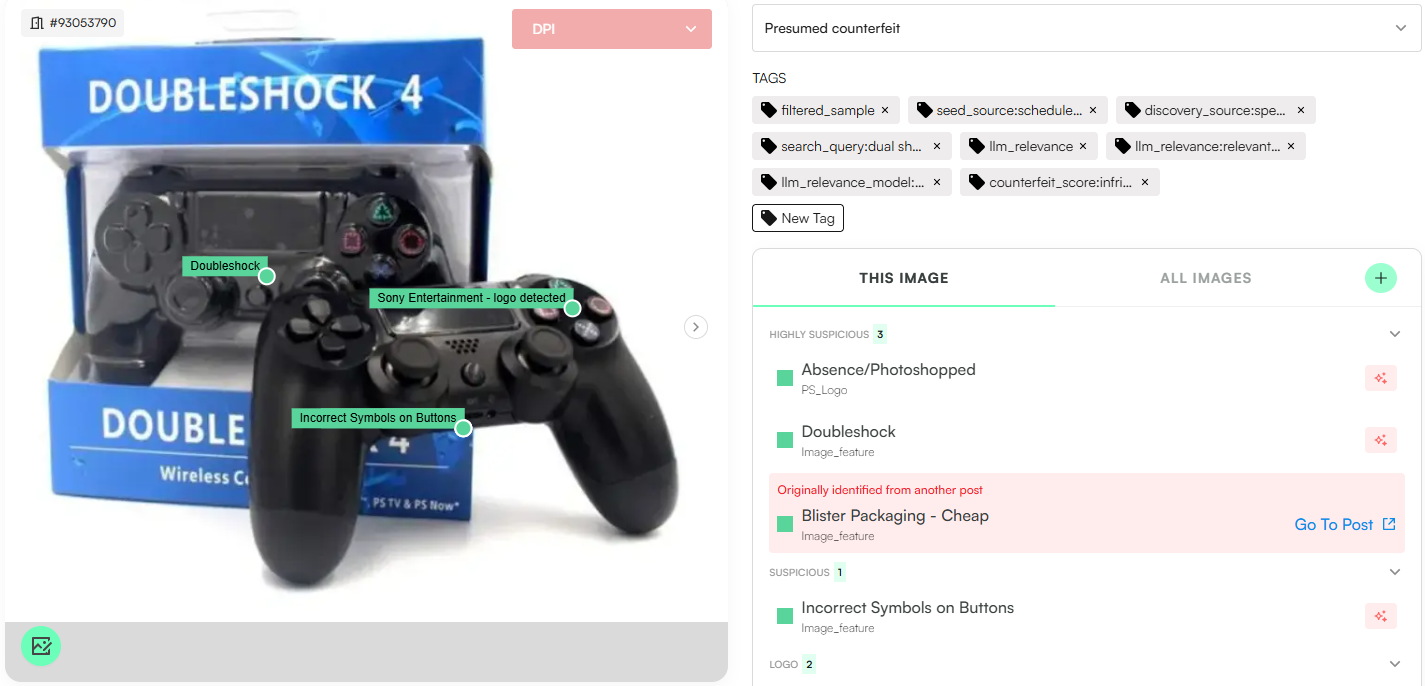
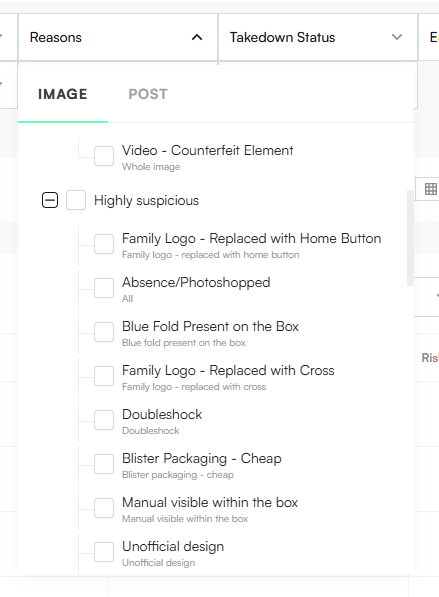
Detected features appear via the platform’s ‘Reasons’ filter and in the post’s ‘This Image’ box; hovering a reason highlights the detection area.
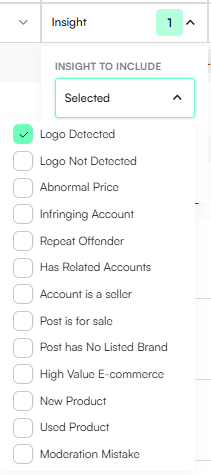
Logo Detection identifies brand logos (wordmarks, figurative marks) as listings enter Zeal 2.0 and integrates with Automated Rules to flag potential counterfeit activity or trademark infringement.
Use the Insights filter → Logo detected
Or use the Reasons filter → Logo detected
v0 Logo Detection: An initial model trained on a selected set of logos. Logos are identified and combined with official/product images. Large Language Models (LLMs) assist by automatically detecting and labeling logos in these images.
v1 Logo Detection: A refined, higher-accuracy model. A detailed brand logo guide is produced to define the final logo set. The dataset (v0 plus additional images) is manually labeled to train v1. From deployment onward, v1 applies to all incoming content.
Once training and deployment are complete, the Logo Detection Insight becomes available in Zeal 2.0.
AI Image Feature Detection uses computer vision to identify elements that may indicate counterfeit or trademark infringement. Examples include:
Unauthorized or altered packaging
Modified or fake logos
Counterfeit features on the product itself
These detections help prioritize listings for review and can feed into Automated Rules to classify content as Counterfeit and/or Trademark Infringing.
The brand provides a guide with examples of infringing features.
A dataset of relevant images is sourced from the platform.
These images are manually labeled to train the model.
Once trained and deployed, Image Feature Insights can be filtered using the “Reasons” filter
Product Detection identifies legitimate product-related features within images, such as:
Specific product models
Packaging variations
Other non-infringing product attributes
These detections can be used in Automated Rules to flag potential Design Infringements or to classify listings based on specific products identified.
