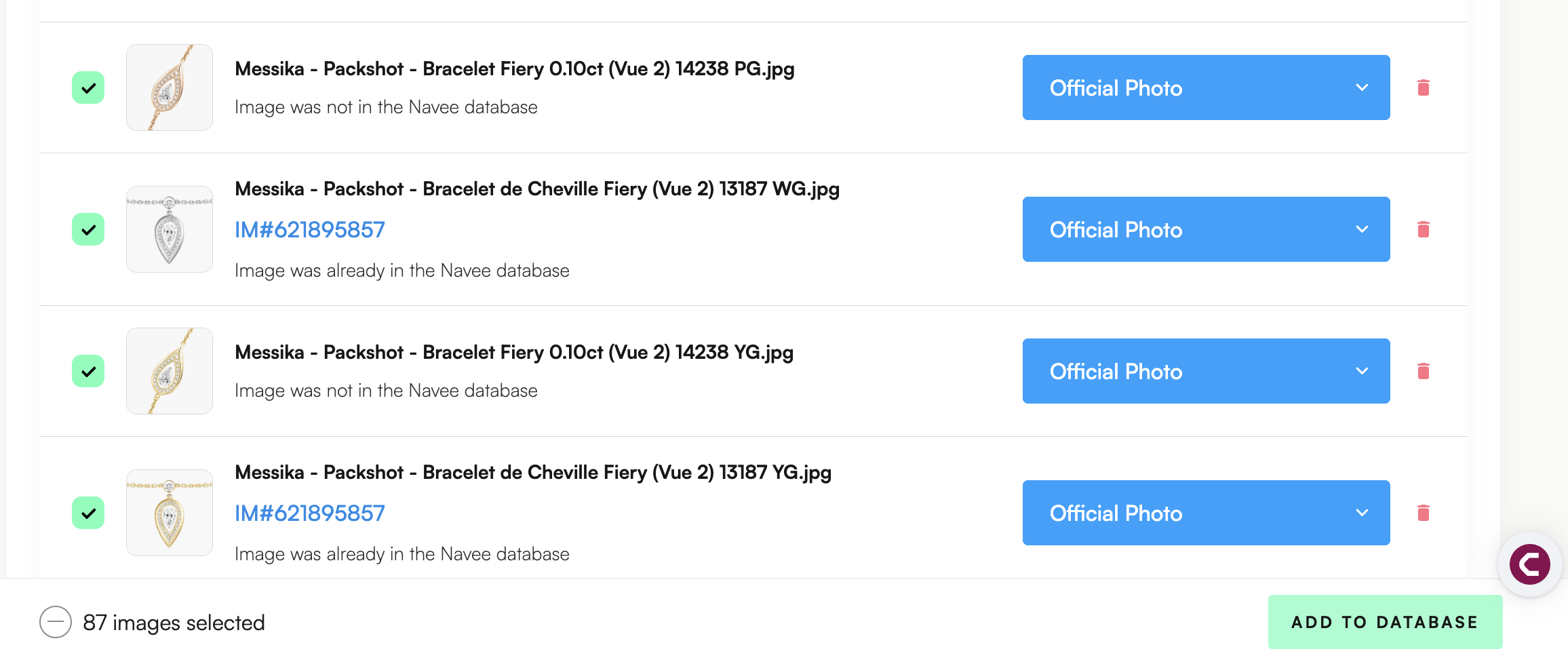
In Zeal 2.0, you can upload images via URL link, or upload image files to add infringing or official imagery.
Go to the Images Tab in the uploads page
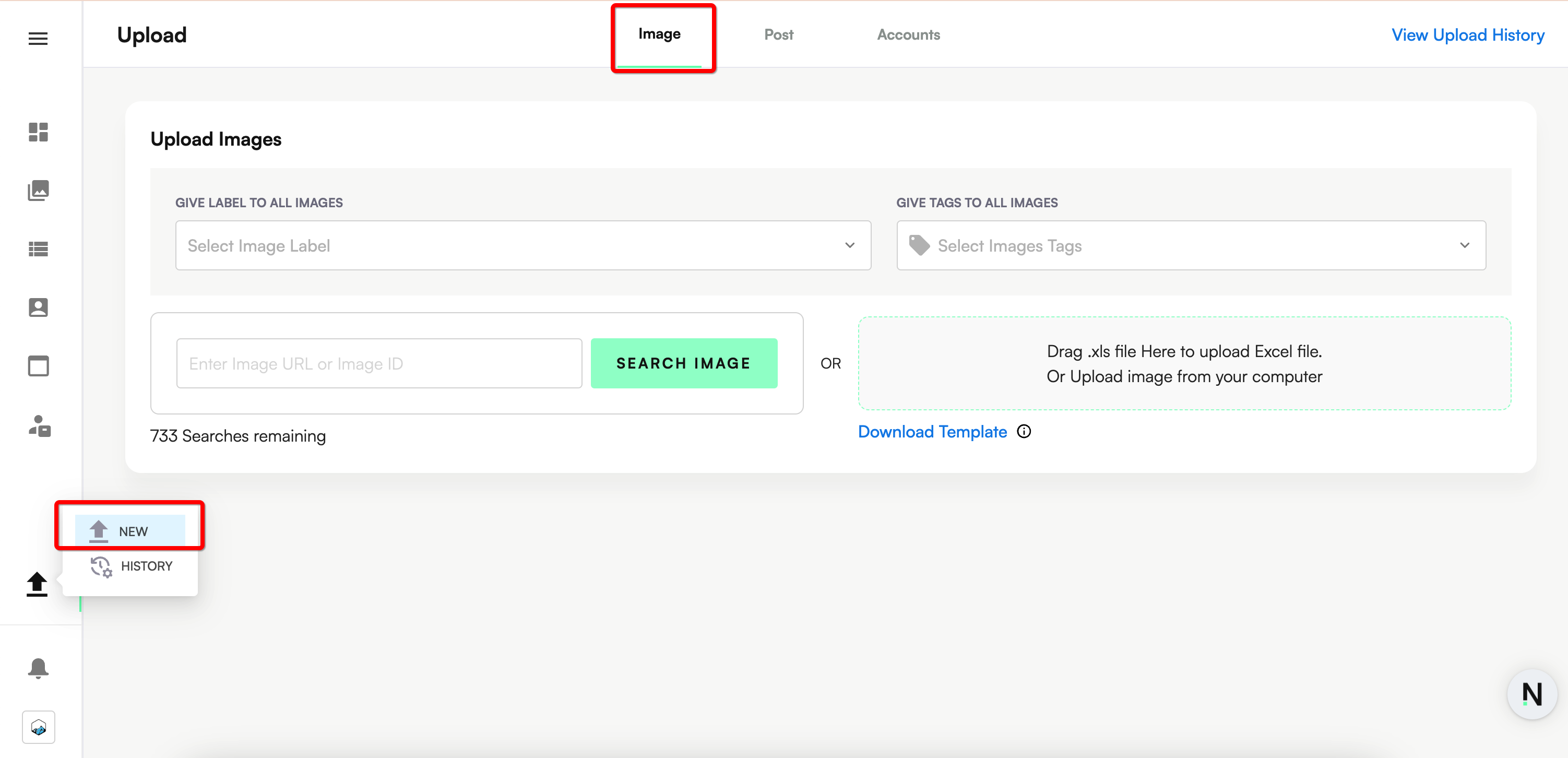
Enter each individual image URL OR utilize the Excel option for bulk upload OR you can select many images from your computer to bulk upload (click on the gray box).
Add Labels and Tags (optional) to each image. At the top, you can select to apply the same Label and/or Tags to all images.
Finally click on Add to Database.