Data can be uploaded directly through the Zeal 2.0 via the Uploads page in the sidebar. Manual uploads enrich the system’s database with accounts, posts, and other information that may not be captured online.
Use cases include:
Uploading and whitelisting new Accounts or reseller Websites to ensure they are not enforced against
Uploading official images of new collections and products
Uploading known infringing Accounts and posts to identify any related accounts
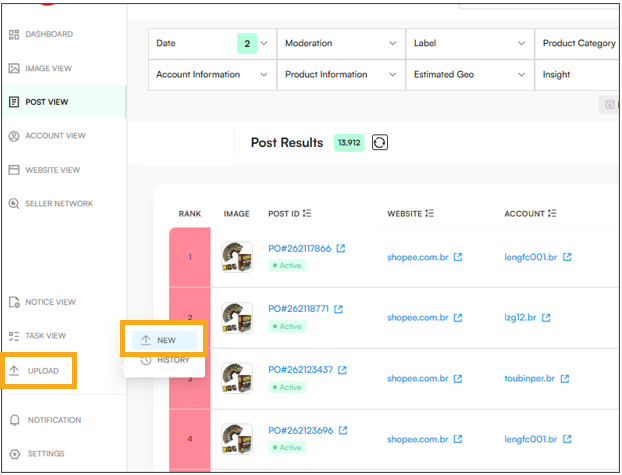
On the uploads page there are three kinds of data that can be:
Upload Images
Upload Posts
Upload Accounts & Websites
Uploads can be done via 3 methods:
Manually - providing all details via the UI or in bulk via an excel shee
Automated crawling - providing the URLs that can be sent for automatic scraping to upload them into the platform. The URLs can be provided in bulk or via an excel sheet. This is only available for platforms that have scraping set up by Zeal 2.0 (https://kbummtnvn.gleap.help/en/articles/45-domains-scraped-by-zeal-20) - often this includes most platforms but does not include standalone websites.
Users can also navigate to Upload > History to view all previous uploads.
