You can use this method to export posts, images, websites, and accounts.
The maximum is a limit of 10k items when exporting directly, and 100k items when exporting via email.
Apply filters
Select all the filters you want to use.
Click Search to load the filtered results.
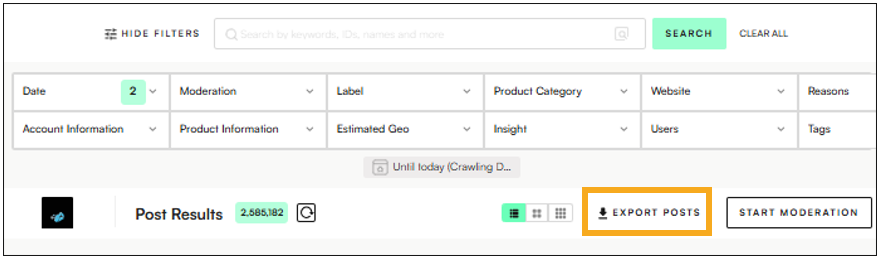
Start the export
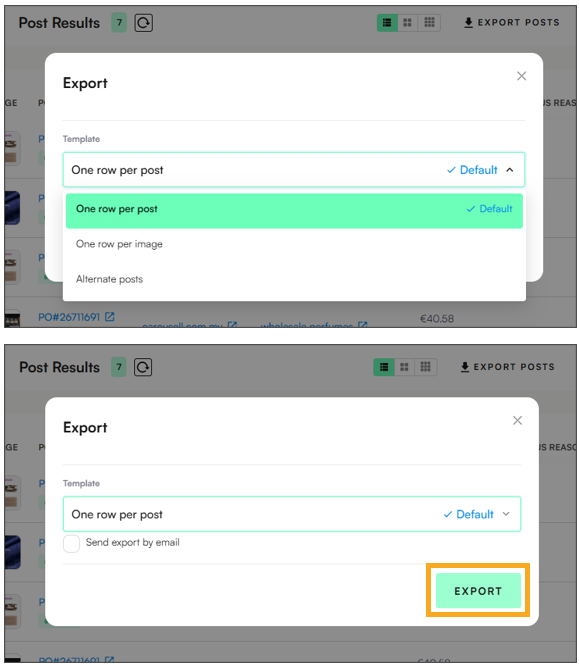
Click the Export button (e.g. Export Posts, Export Accounts, etc.).
Choose an export format
One post per row – Each row contains a single post with all of its images included.
One image per row – Each row contains one image, even if multiple images belong to the same post.
Alternate posts – Exports every other post from the current selection. (Useful when a sample is sufficient.)
Optional: Send by email
Check Send export by email if you’d like to receive the file in your inbox instead of downloading directly.
Download your file
Click Export to download the filtered data in Excel format.