IP certificates are required to prove protection and give the brand the right to enforce. It’s important to ensure certificates cover the correct regions and products within the brand’s enforcement scope. By storing certificates in the system, enforcement actions can be automated.
Pre-requisites:
You have the role of Admin, Account Executive or Enforcer in the platform.
You have all the IP Certificate details from the client.
You have configured Brand and added IP Assets
Must Have outcomes:
Ensure all IP Certificates are linked to an IP Asset.
Ensure all IP Certificates are linked to relevant Removal Reasons (trademark abuse, counterfeit, etc).
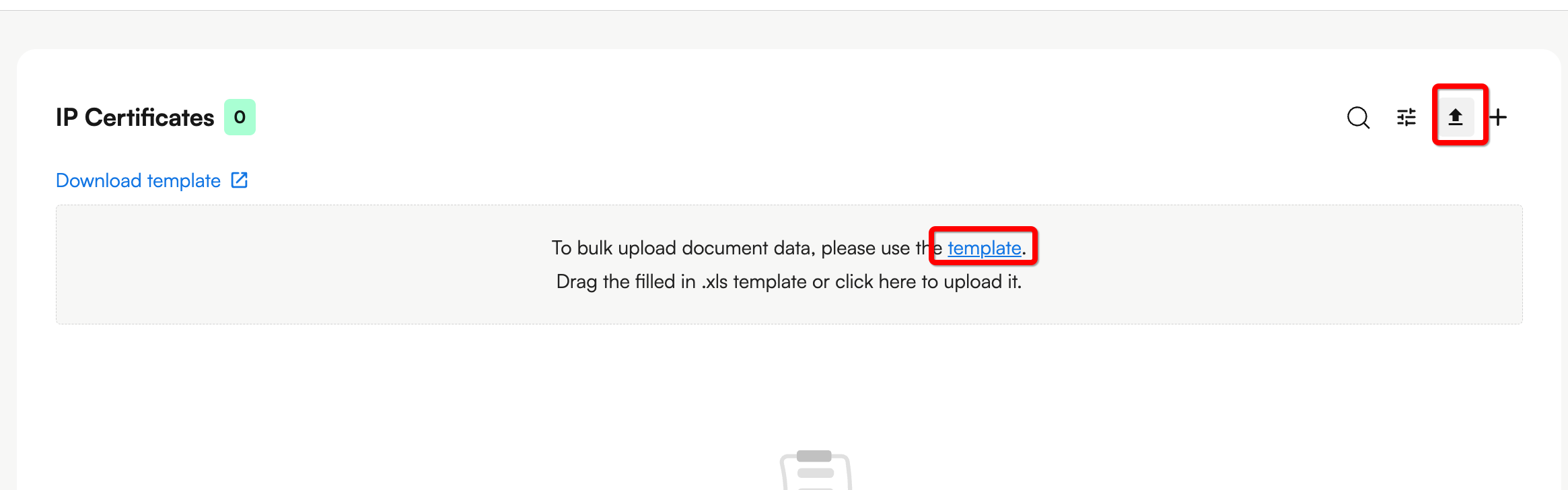
There are two ways to upload IP Certificate information - firstly, IP Certificate information can be uploaded via the Excel template.
To upload IP Certificate information in bulk, click the Upload button in the top right hand corner and click download template to access the template.
Required fields are:
Trademark number
Jurisdiction
Removal Reasons
Recommended fields include:
Expiry date - this ensures the certificate is valid, formatted YYYY-MM-DD
Trademark URL
IP Asset Name - this enables efficient linking to the IP Assets you have configured
Type - WORDMARK, FIGURATIVE_MARK, DESIGN_PATENT, DESIGN, PATENT, COPYRIGHT, COMBINED_MARK, OTHER
Removal Reason name - Copyright Infringement, Trademark Infringement, Design Infringement, Patent Infringement, Counterfeit Infringement, Unauthorized Sales, Other
Glossary on fields is available in the Excel:
Column | description | notes | example |
|
Name | Name of the IP Certificate | This will be autogenerated if left blank |
|
|
Number | Trademark number |
| 1467227 |
|
Url Trademark | URL of trademark | URL of trademark | https://branddb.wipo.int/en/brand/EM5000000000079707 |
|
Created date | Date of trademark/certificate registration | Accepts YYYY-MM-DD | 2017-02-02 |
|
Expiry date | Date of trademark/certificate expiry | Accepts YYYY-MM-DD | 2027-03-23 |
|
Jurisdiction | Jurisdiction | Accept ISO Format, WIPO or EU | US |
|
IP Asset Name | Name of the Brand logo or Product being protected. You may use existing IP Certificate names in Zero/Zeal exports | Must use pre-created asset names | Corsearch C Logo |
|
Classes | Comma separated class numbers | Accepts multiple comma separated numbers 1 to 45 | 1,34,2 |
|
Type | Type of mark | Accepts 1 value from: WORDMARK, FIGURATIVE_MARK, DESIGN_PATENT, DESIGN, PATENT, COPYRIGHT, COMBINED_MARK, OTHER | WORDMARK |
|
Removal Reason Name | Infringement Removal Reason applicable for this certificate | Accepts 1 value from: Copyright Infringement, Trademark Infringement, Design Infringement, Patent Infringement, Counterfeit Infringement, Unauthorized Sales, Other | Trademark Infringement |
|
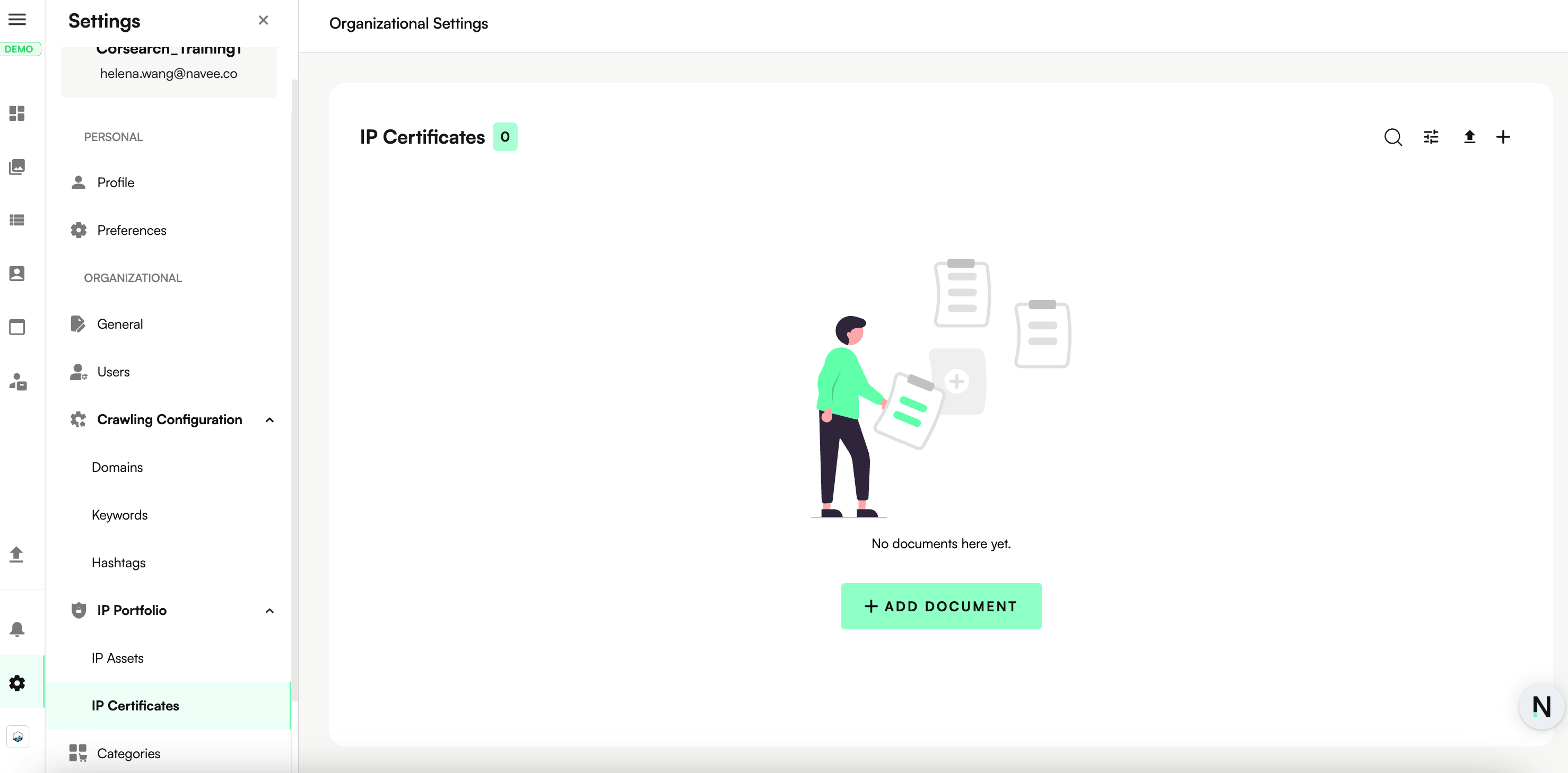
Navigate to Settings > IP Portfolio > IP Certificates.
Click the + button to add an IP certificate.
Complete the Modal shown below:
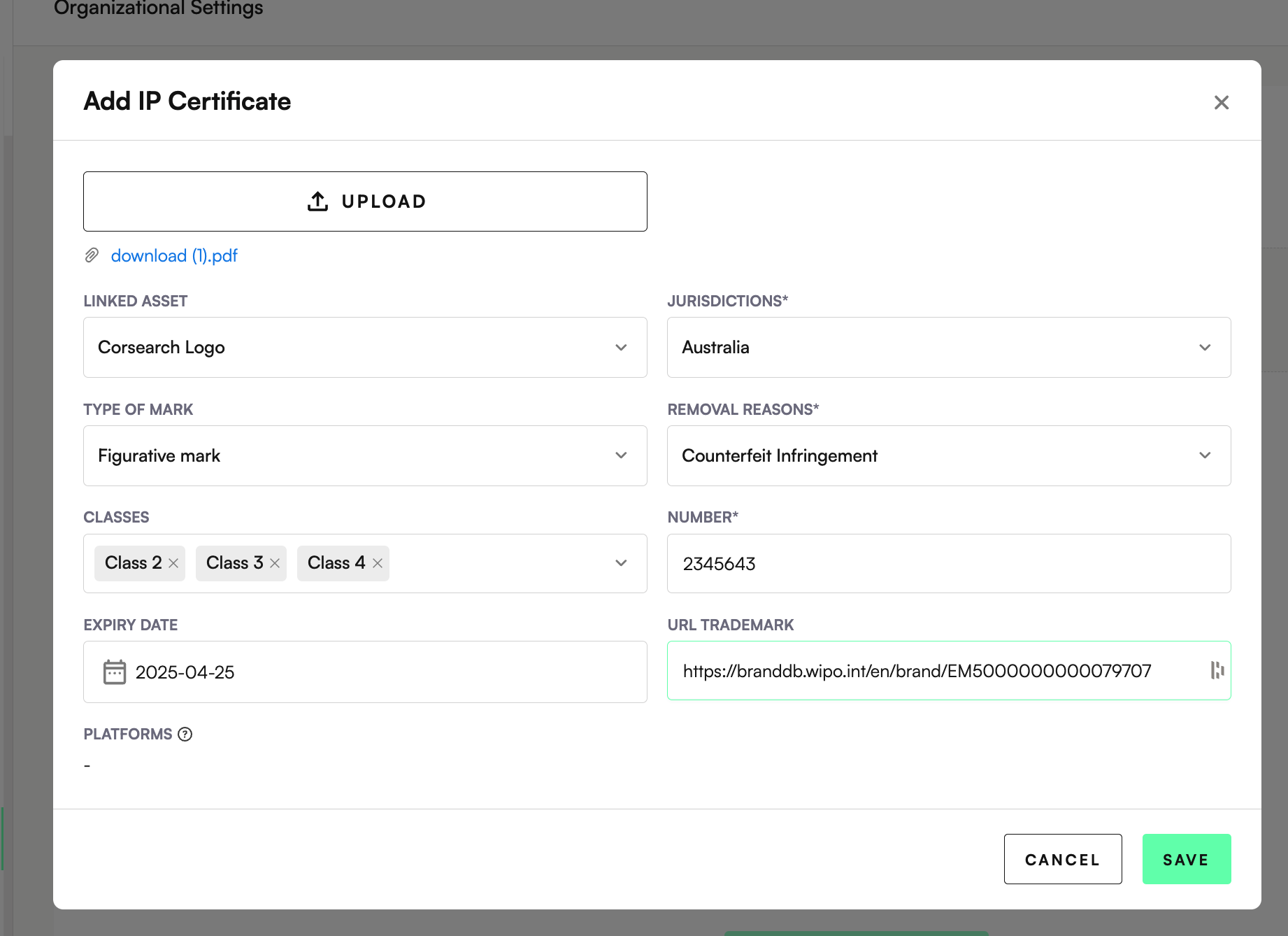
Ad minimum, the required fields are:
Jurisdictions
Removal Reasons
Trademark Number
Click Save
