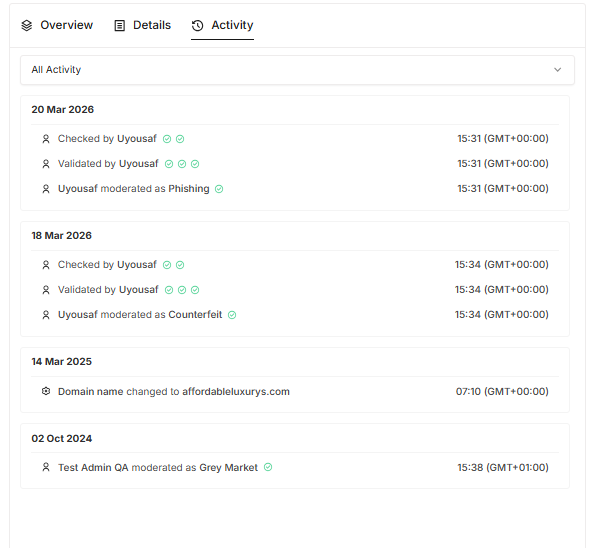
Website View provides a high-level overview of infringing activity across different domains (marketplaces, social media, stand-alone infringing domains). It displays key information such as:
🏅 Rank
🌐 Website
📝 URLs Associated
🏷 Labels
The Website View helps users identify where infringement is most active, compare site-level trends, and prioritize platforms for enforcement or deeper analysis.
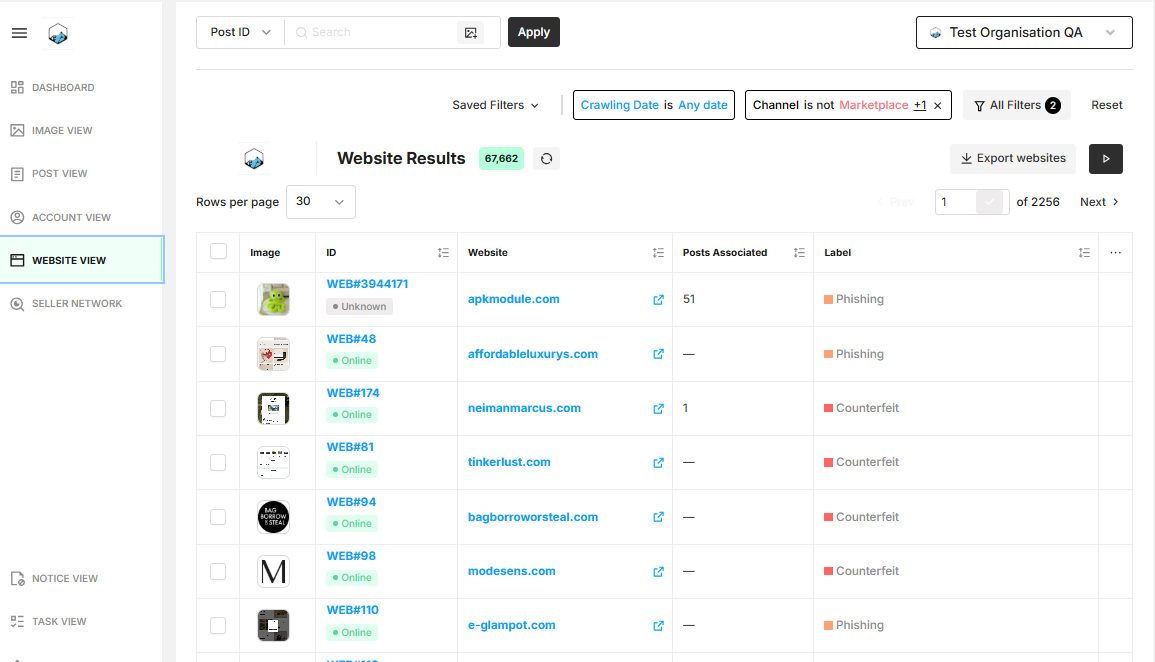
The Website Moderation Page in Zeal 2.0 provides a consolidated "investigation cockpit." It allows you to view the infringing visual side-by-side with deep technical intelligence, reducing the time needed to validate and enforce brand protection actions.
The left pane displays the Visual Asset (image or website screenshot). This ensures that as you review technical data, the core evidence—such as a counterfeit product or a an impersonating website—remains front and center.
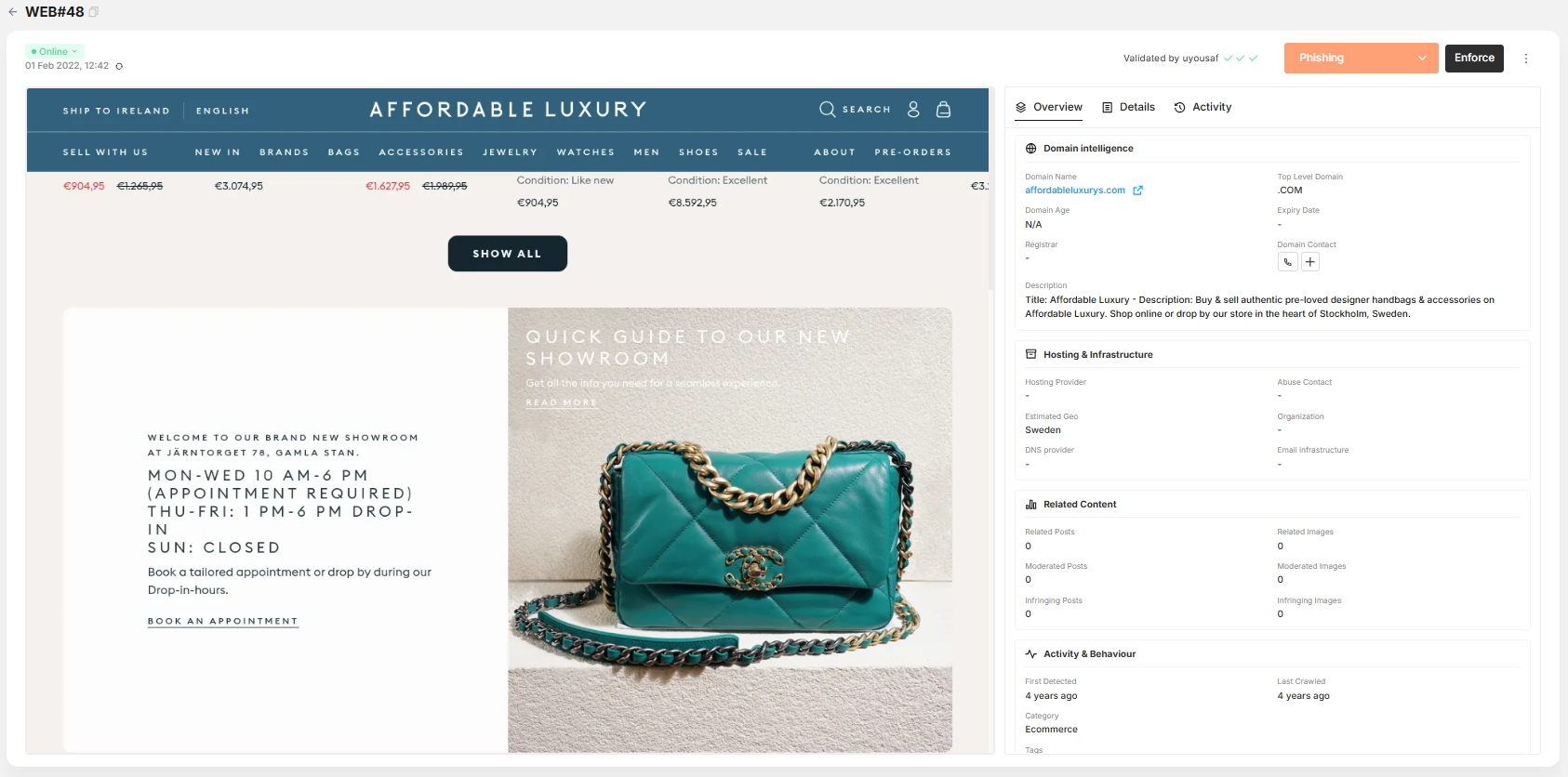
At the top of the moderation screen, you have immediate access to enforcement tools:
Threat Classification (Label): A dropdown (e.g., Phishing) to categorize the risk.
Enforcement Status: Workflow related status of the post (e.g., Moderated, Validated, To Enforce).
Enforce/Re-enforce Button: Mark items for enforcement/re-enforcement.
On Hold/No Action: Use these status markers to temporarily pause enforcement or designate items that require no further intervention.
Unmoderate/Unvalidate/Uncheck: will remove the last action applied. (e.g., Clicking “Unvalidate” will revert to the status being “Checked”).
The right pane is organized into three logical tabs to streamline your workflow:
Use this for a high-level assessment of the threat.
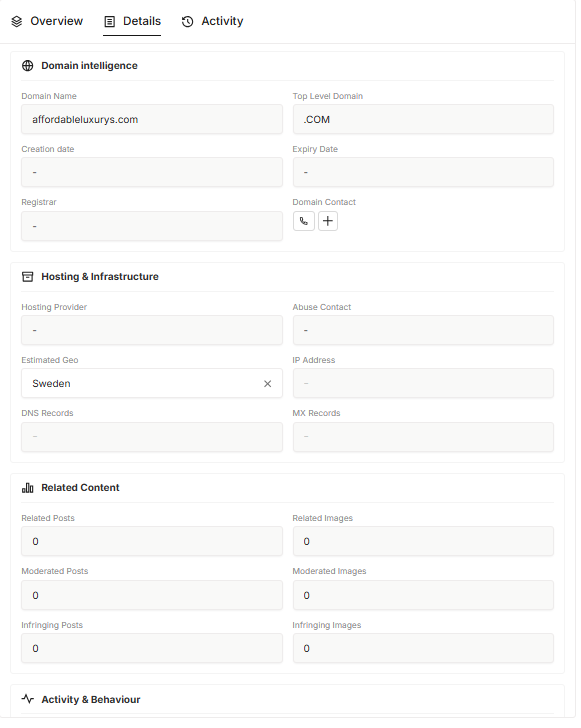
Domain Intelligence: View the Domain Name, Registrar, and Expiry.
Hosting & Infrastructure: Identify the Hosting Provider and the estimated geographic location of a listing, post or website.
Related Content: The number of Related Posts and Related Images. This helps you identify if a post is part of a larger, coordinated infringer network.

When you need technical "fingerprinting" for legal or advanced investigation:
Network Records: Access IP Addresses, DNS Records, and MX Records (to see if the domain is also being used for email-based phishing).
Organization Data: Shows the registered organization behind the domain (if available).
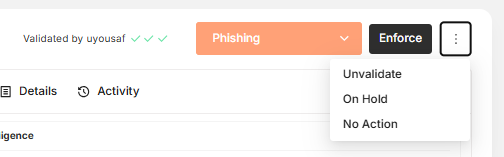
Full transparency on how the asset has been handled.
Timestamps: Every action is logged with a GMT+01:00 timestamp.
Status Changes: Track when an asset was marked as "Phishing," "Counterfeit," or "Design Infringement."
User Attribution: See exactly which analyst or automated system (e.g., uyousaf) validated or enforced the asset.