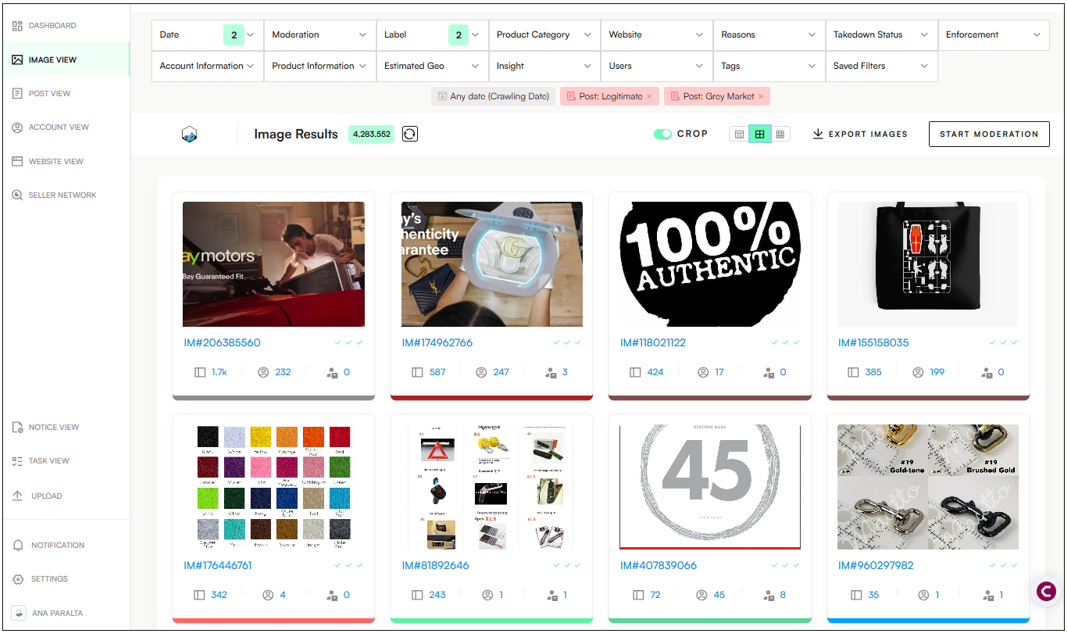
The Image View shows all images found in monitored posts, helping users quickly spot and review any that might be infringing, and includes key information such as:
🆔 Individual image IDs
🛡 Moderation status
🏷 Decision labels (e.g., infringing or not)
📌 Related Posts
📦 Product categories and clusters
💬 Feature labelling and comments for collaboration
This view is ideal for analysing repeated use of infringing imagery across multiple posts or domains/platforms.
INFORMATION AVAILABLE IN THE IMAGE VIEW
In the Image View, images are ranked by Impact Score—the highest-scoring images appear first, highlighting those used most frequently.
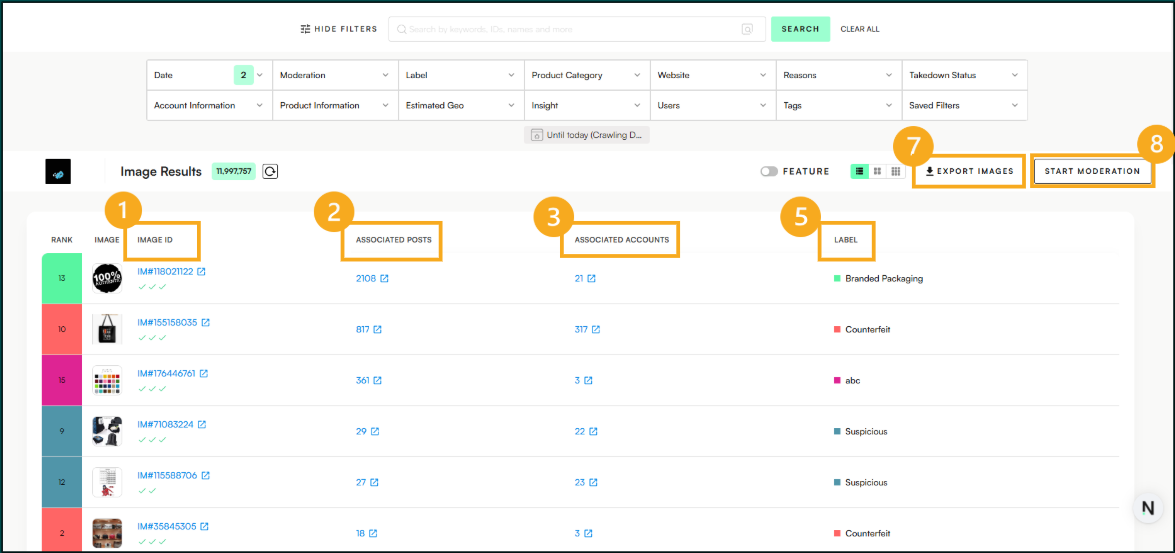
Every image will have the following elements:
Image ID – Clickable link to the image’s detailed view.
Associated Posts – All posts containing that image.
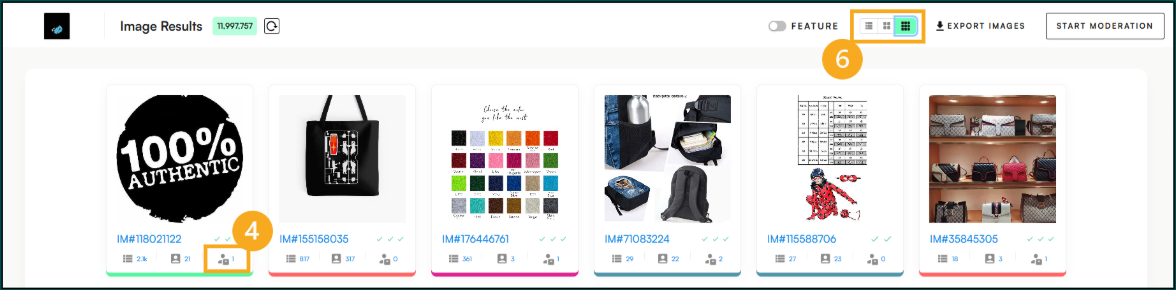
Associated Accounts – All accounts/sellers using that image.
Associated Clusters – All clusters containing that image.
Label (infringement type).
List/Card View – Change how the content is displayed.
Export – Export all filtered images to an Excel file.
Start Moderation – Starts the moderation/labelling process of posts.
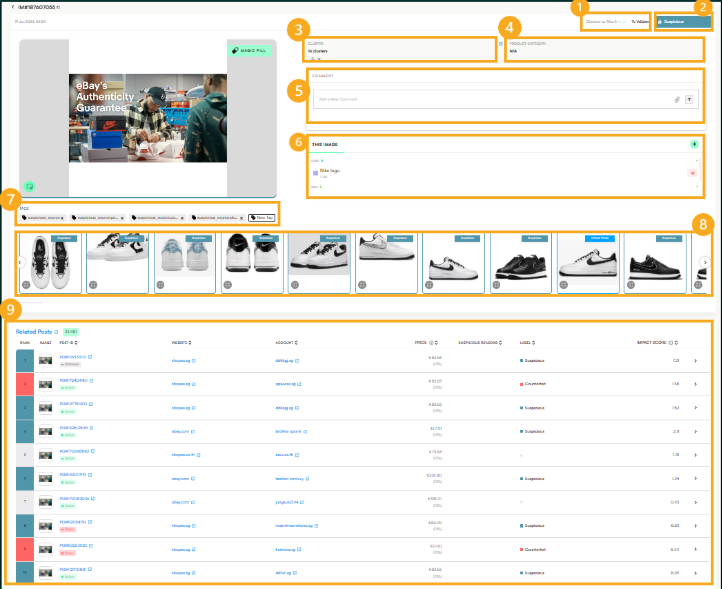
INDIVIDUAL IMAGE INFORMATION
Clicking on the Image ID opens a detailed view that provides more context, including:
Moderation Status
One check mark means the image has been moderated.
Two check marks indicate it has been reviewed for accuracy and completeness.
Three check marks confirm that the post has been fully validated and is ready for enforcement.
Label – Infringement type/classification.
Clusters where the image is present – Networks of posts/sellers that are using this image.
Product Category – Type of product in the image.
Comments – Users can add comments using @username, and/or attach files.
Feature Labelling/Image Modifications – This section highlights any visual modifications made to logos or product images. It highlights and labels certain sections of the image where alterations have been detected (i.e brand logo detected).
Tags – Tags applied to this image.
Similar Images – Other images that closely resemble the selected image based on visual patterns, layout, or content.
Related Posts – All posts containing the same selected image (sorted by the Impact Score).