You need to have an Admin, Validator (Client), or Manager (Brand Partner) role to invite, edit, or remove users from your organization.
If you don’t have these permissions, please reach out to your Corsearch Brand Partner for support.
Navigate to Settings > General > Users
Select the + icon.

Add the user's email and select the appropriate role from the drop down.
Note: If you are inviting a Zeal 2.0 user, their email should populate from the dropdown.
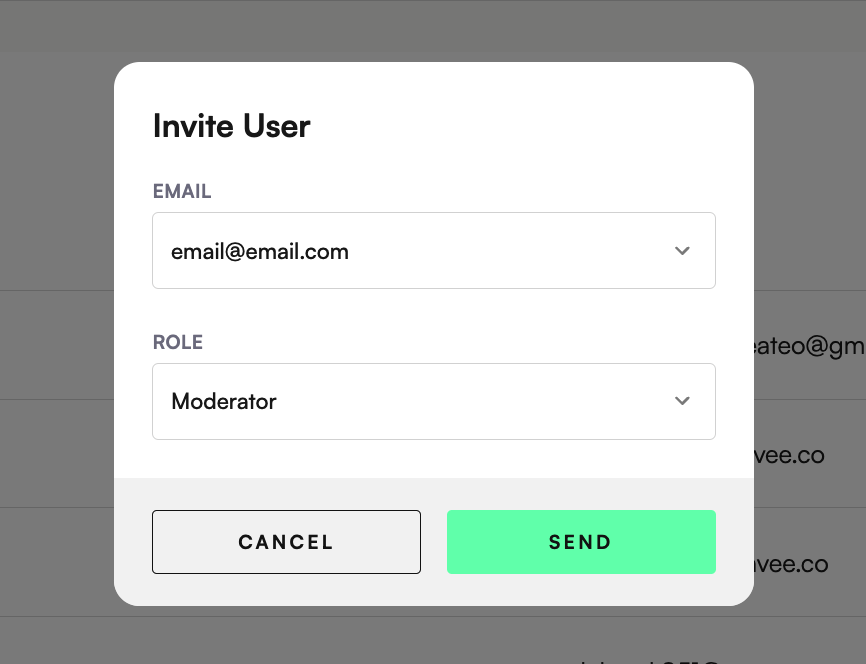
Users will be sent an email with a link to join the platform, and if they are a new user, to configure their password.
Click the pen icon.
Make the changes/edits
Click Save.
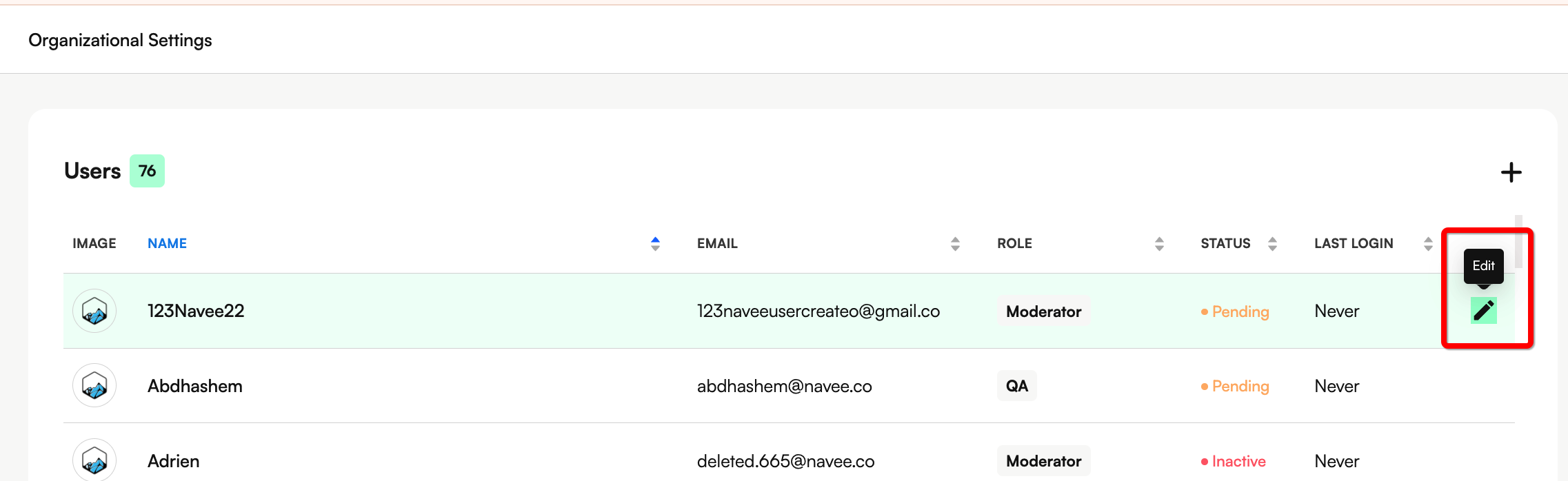
Click the pen icon.
Click 'Remove user'.
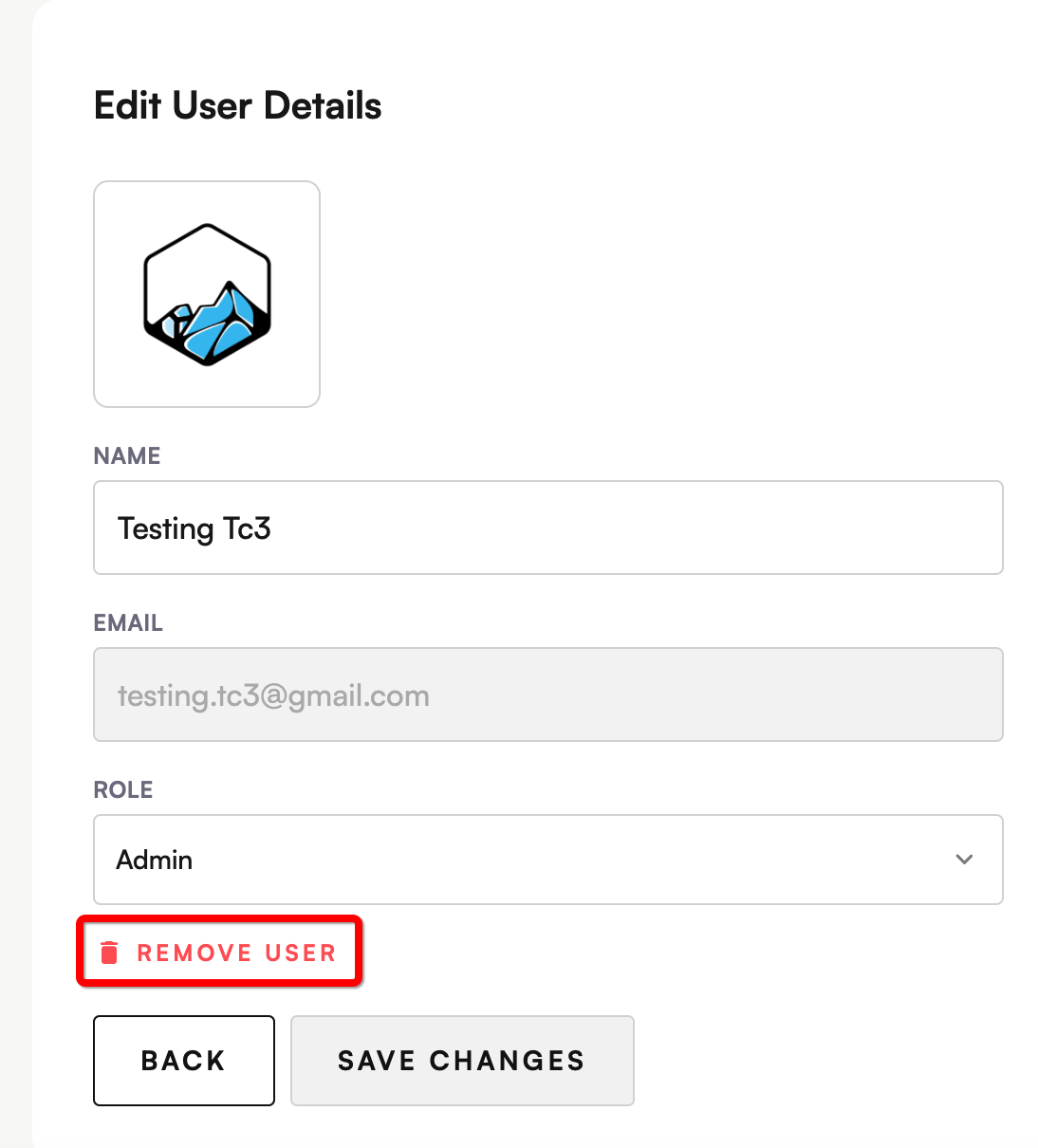
Note: This will not deactivate the user account if they have access to multiple organizations, but it will remove the User's access to this Organization.
