This update focuses on improving usability, increasing efficiency, and enhancing moderation accuracy — without changing core logic or workflows.
UI Update: Filters Have a New Look → Filters have been refreshed with a cleaner, collapsible layout on the right-hand side — giving you more space while keeping search results exactly the same.
More Powerful Bulk Updates → You can now update additional fields in bulk (including shipping details, product, comments), helping speed up moderation workflows.
Legal Address Added to Organization Settings → Organizations can now store a dedicated Legal Address — enabling upcoming Google delisting automation. A validation check applies only when submitting Google delisting requests.
Domain Search Capabilities → DNS record searches now support includes/excludes across A, AAAA, and MX records directly from moderation pages and the main search bar.
Clearer Image Review → OCR text is now visible directly in Image Features & Small detected logos are no longer obscured
Clearer User Attribution → Workflow labels have been improved (e.g., “Marked to Enforce by,” “Notice Sent by”) for better action transparency.
New Insight Filters → Website has WHOIs details / Website has MX Record / Language-Region Mismatch
Automatic Product Detection → Listings can now automatically detect and assign product names and product lines based on matching identifiers or keywords.
We’ve refreshed the filter layout to improve screen space and usability — but don’t worry, the underlying filter logic and results remain exactly the same.
What’s changed:
• Filters are now collapsible
• They’re positioned on the right side of the screen for a cleaner workspace
• You can expand or hide them anytime while working
What hasn’t changed:
• Filter behavior
• Search logic
• Results and data output
This update is purely visual to make navigation smoother and give you more room to view content.
Note: We will be updating materials and articles as soon as possible - stay tuned!
You can now use the Batch Update button in the footer to update even more fields in bulk when working with posts.
Newly available fields (Details Tab):
• Ships From
• Ships To
• Items in Bundle
• Comments
• Product
Field examples are available, just like in the Post Moderation Details page — making bulk edits faster and more consistent.
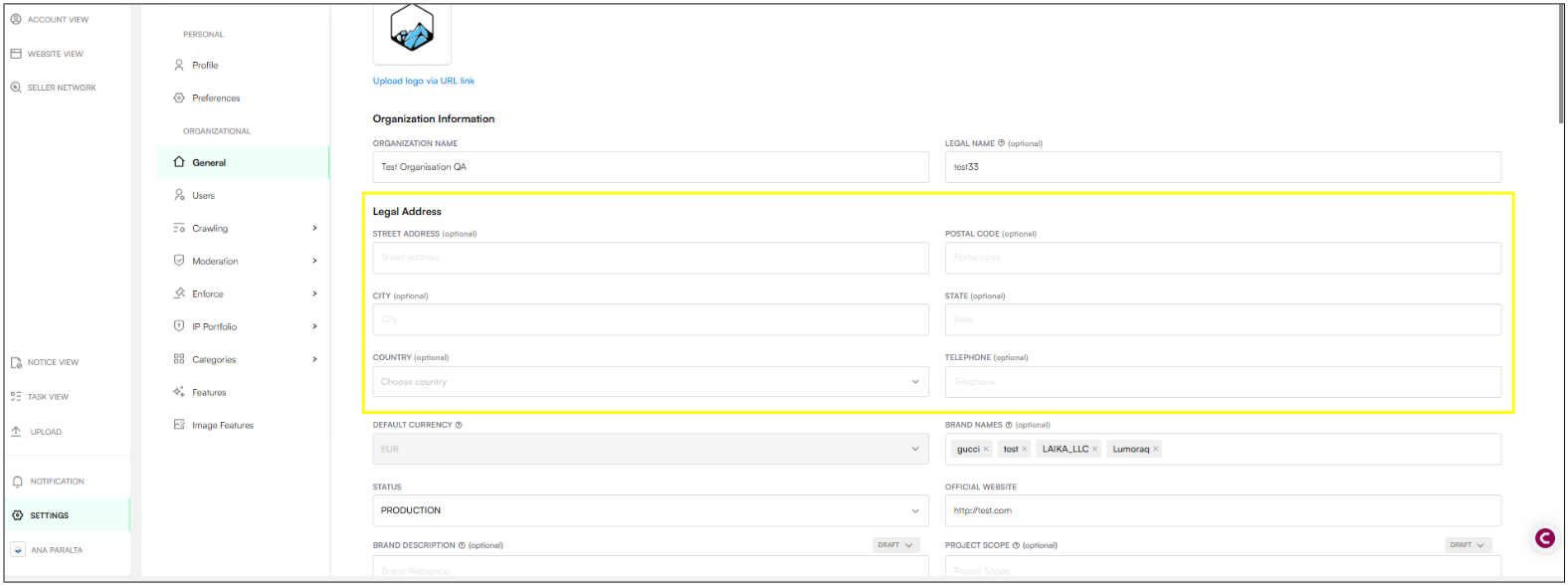
We’ve added a dedicated Legal Address section in Organization General Settings.
This includes:
Street Address
Postal Code
City
State
Country
Telephone
This section sits alongside (not instead of) Legal Name.
Why this matters:
This enables the automation we’re implementing for Google Delisting.
✔ Organizations can now view, add, and update their legal address
✔ For Google delisting only, you’ll see a validation error if the legal address or country is missing
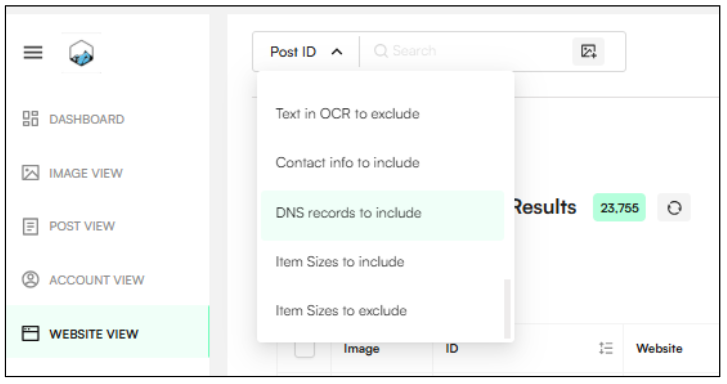
You can now use the search bar to search for specific terms within Website DNS records (Website View).
This includes:
• A Records
• AAAA Records
• MX Records
• Other DNS entries
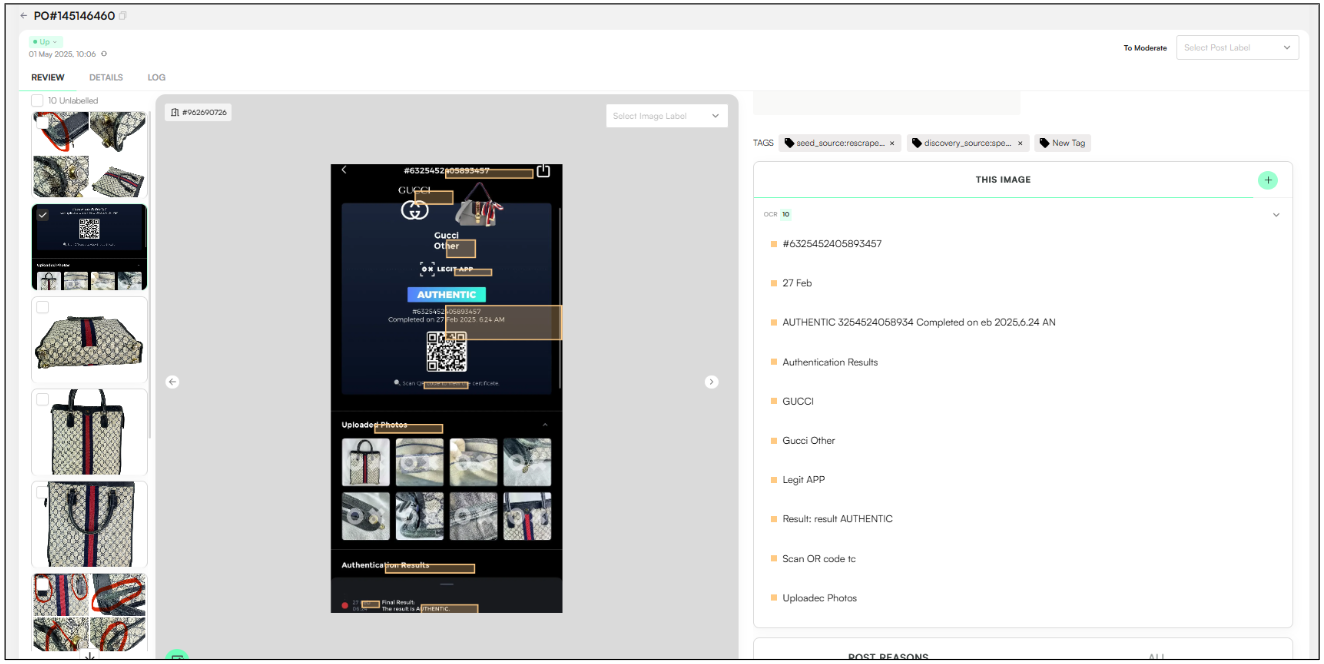
Detected OCR (image text) is now displayed directly in the Image Features section on:
• Post Moderation pages
• Image Moderation pages
This makes it easier to review extracted text without switching views.
We’ve fixed an issue where the detection dot could cover small logos.
Moderators can now clearly see even the smallest detected logos — making validation easier and more accurate.
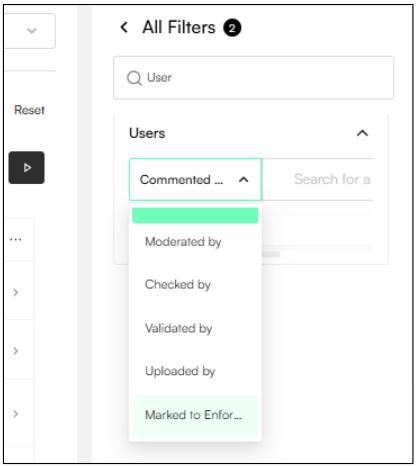
We’ve improved clarity around user actions by updating and expanding attribution names.
New and updated fields include:
Moderated by
Checked by
Validated by
Uploaded by
Marked to Enforce by (replaces “Enforcer”)
Notice sent by
Example text now reads:
“Marked to Enforce by [UserName]”
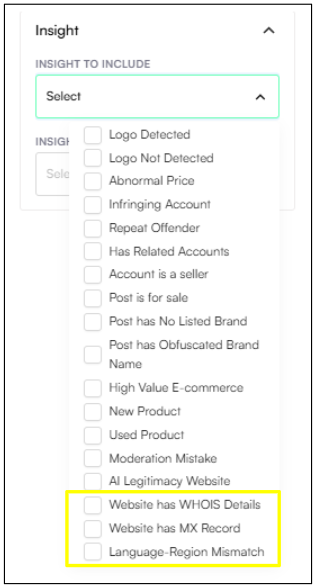
We’ve expanded investigative and compliance visibility with three new insights:
Website Has WHOIS Details – Quickly identify websites with available WHOIS registration data.
Website Has MX Record – Flag websites with active MX records (helpful for enforcement and risk evaluation).
Language-Regions Mismatch / Packaging Language Mismatch – Flags when detected packaging text language differs from the platform geo (especially relevant for Beauty & Pharma).
Listings can now automatically detect and assign:
• Product Name
• Product Line
This is based on matching identifiers or keywords in the listing — helping improve accuracy and reduce manual tagging.
