This approach focuses on identifying infringing domains as a whole, not standalone infringing webpages.
Go to Website View to analyze domains directly (not individual posts, pages, or accounts).
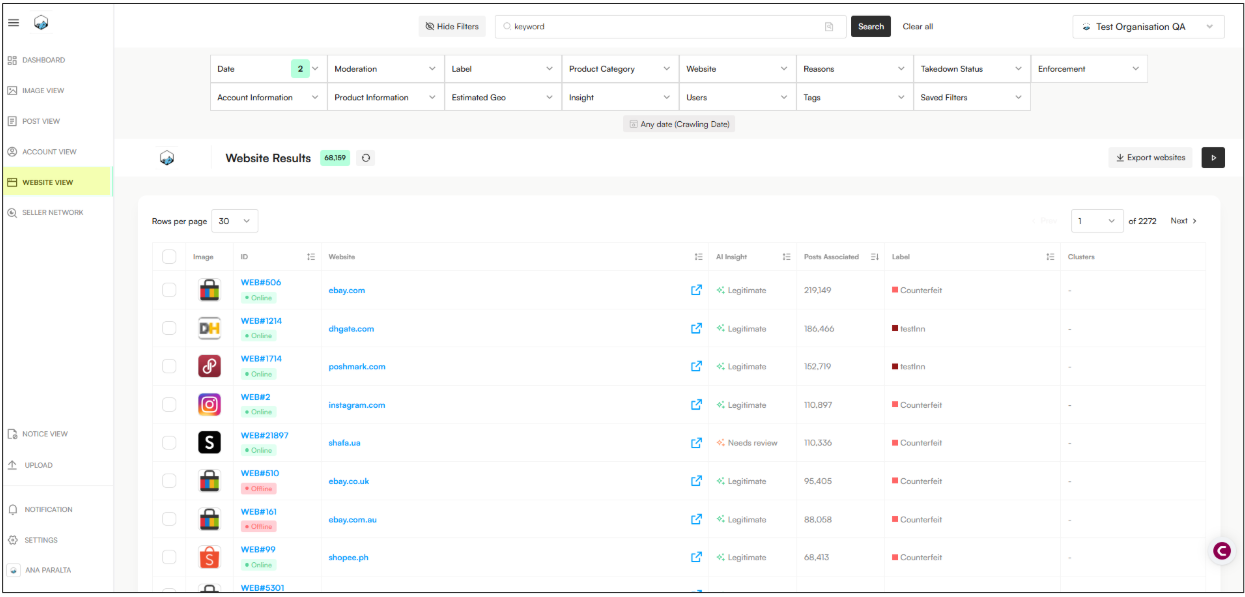
Apply these filters to identify high-risk standalone domains:
Date
Select Any date (shows all historical data)
Website Category
Exclude:
Marketplaces
Social Media
Ads
Insight
Exclude: AI legitimacy website
Takedown Status (Websites)
Select Online (active domains only)

Find New / Unreviewed Domains
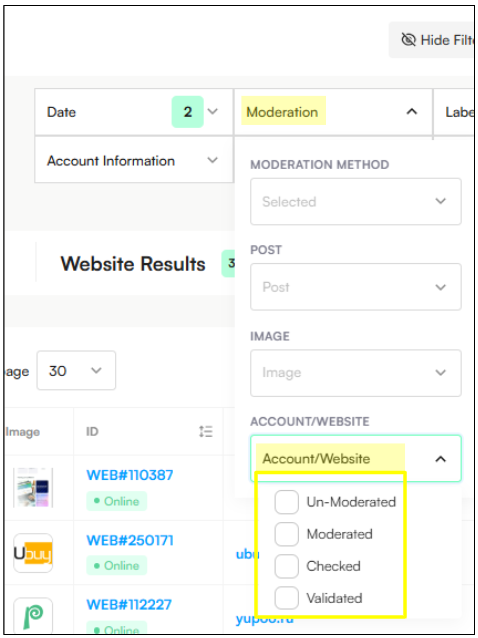
Moderation → Account or Website: Unmoderated
Find Confirmed Infringing Domains:
Moderation → Account or Website: Checked
Labels → Account or Website: Include All Infringements
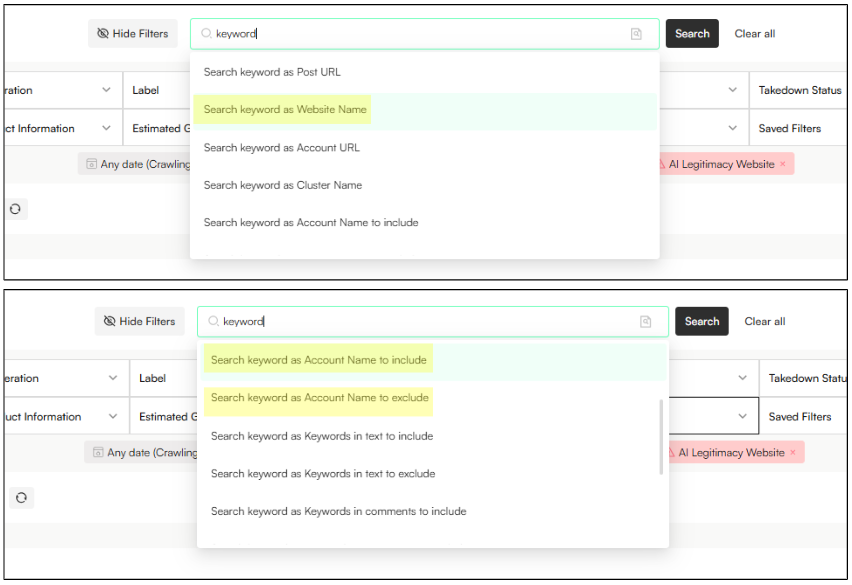
Use keyword search to refine results:
Search keyword as Website Name → Matches keywords in the domain URL
Search keyword in text to include → Finds keywords in captured site text or descriptions
Search keyword in text to exclude → Removes known legitimate or irrelevant domains
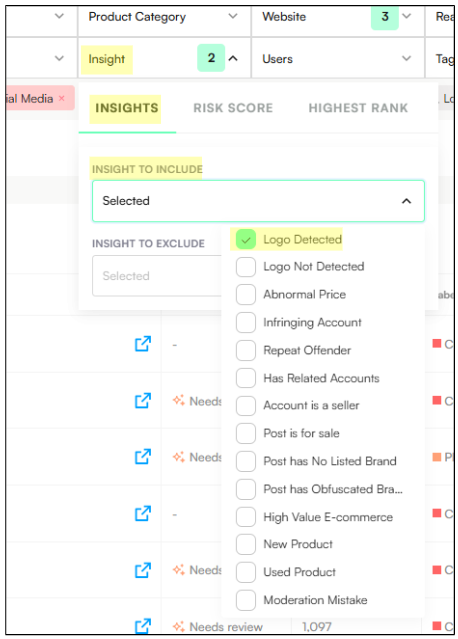
To find domains displaying your brand logo:
Insight → Include: Logo Detected
Useful for identifying visual trademark misuse, even without text mentions.
This method is best for uncovering all related webpages linked to a known infringing domain.
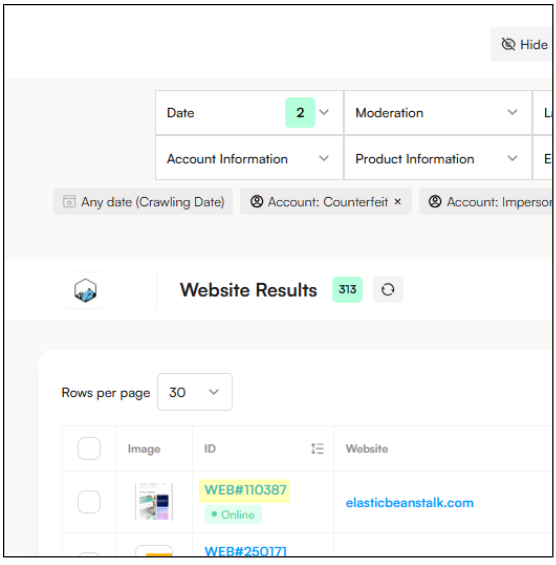
Open the Website View
Click the Domain ID to open the chosen domain in a new tab (Domain IDs will have the format WEB#0000).
Scroll all the way down until you find Related Posts section → This section shows all related webapges that belong to the domain you have selected. These are found in the system as Posts, in the Post view.
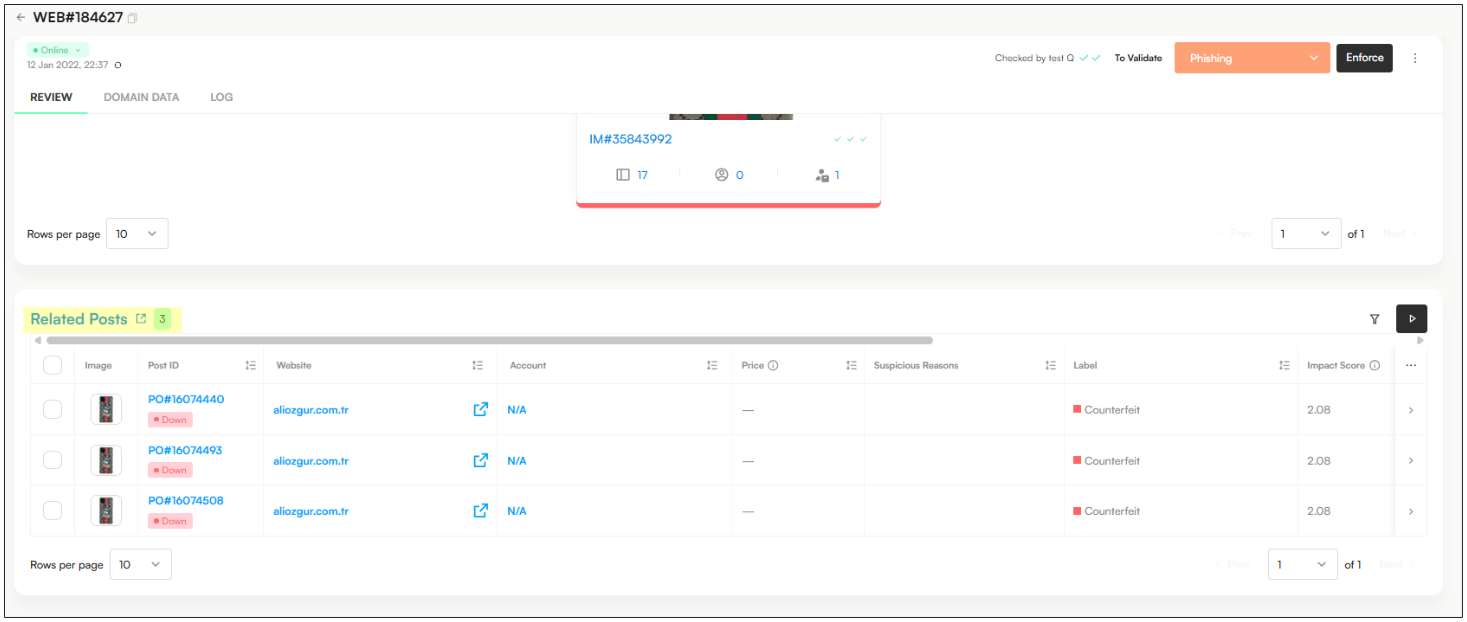
Click the open-in-new-tab icon →This will open a new tab in Post View, displaying all related posts for that domain. Here you can see that these posts have already been filtered by a specific domain ID.

Webpages and standalone websites are treated as posts and can be found in Post View.
This is different from domains, which are tracked separately and can be found in Website View. This approach lets you investigate infringement at the webpage level, without immediately treating the entire domain as infringing.
Go to Post View to analyze webpages directly (not domains).
Apply these filters to identify high-risk standalone webpages:
Date
Select Any date (shows all historical data)
Website Category
Exclude:
Marketplaces
Social Media
Ads
Takedown Status (Posts)
Select Up (active webpages only)

Find New / Unreviewed Webpages
Moderation → Account or Website: Unmoderated
Find Confirmed Infringing Webpages:
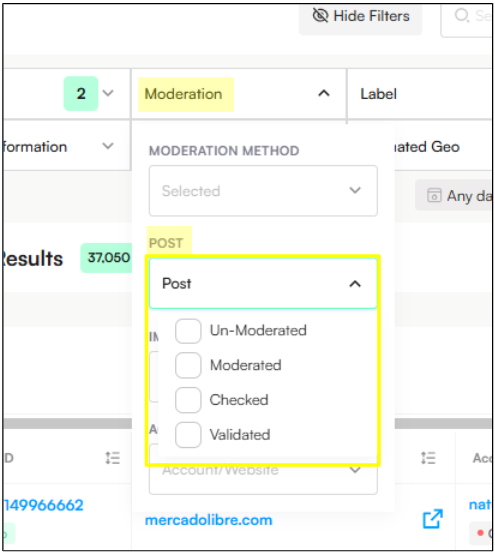
Moderation → Post: Checked
Labels → Post: Include All Infringements
Use keyword search to refine results:
Search keyword as Website Name → Matches keywords in the webpage URL
Search keyword in text to include → Finds keywords in captured site text or descriptions
Search keyword in text to exclude → Removes known legitimate or irrelevant webpages
To find webpages displaying your brand logo:
Insight → Include: Logo Detected
Useful for identifying visual trademark misuse, even without text mentions.
