Last Update: 11/11/2025
The following domains are available for IP Portal auto-enforcement:
Shopee
Alibaba
AliExpress
Lazada
Miravia
Open Settings → Enforce → Enforced Domains.
Click the Add (+) button to create a new domain entry.
Use the search function to locate and select all Shopee domains.
Set the Method to IP Portal.
Set the System to Automatic.
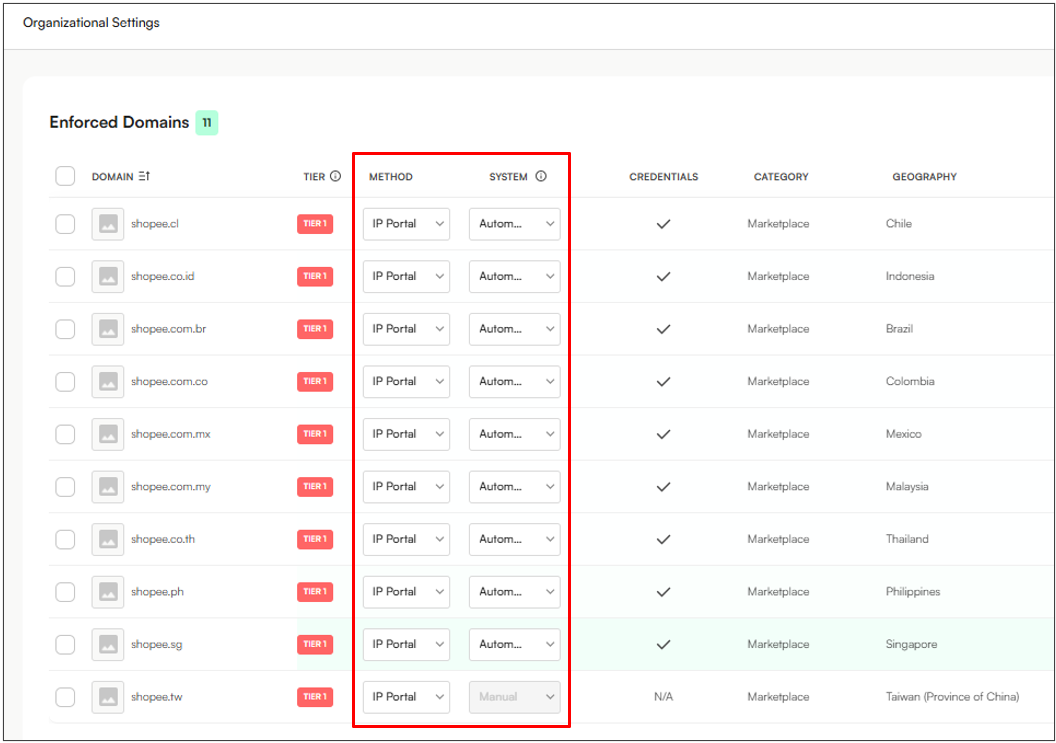
Note: shopee.tw is currently re-worked by product, so enforcement will be manual for now, as shown above.
Navigate to Enforce → Platform Credentials
Click the Add (+) button to create new platform credentials
Select Manual Credentials
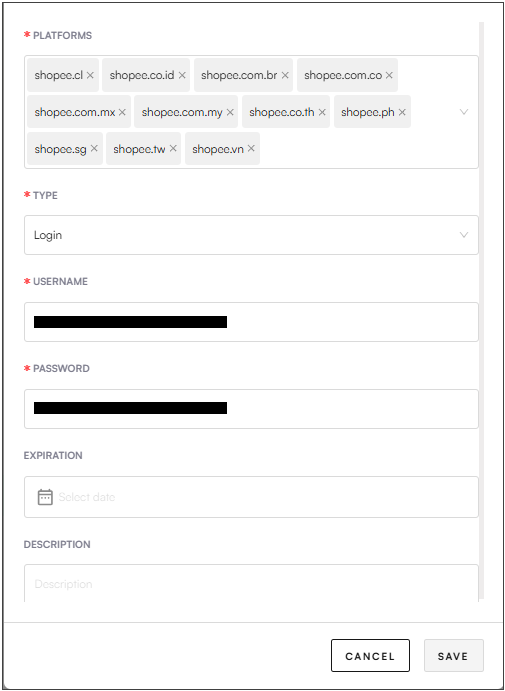
Select all Shopee domains from the platforms dropdown menu
Set the type to Login
Add your Shopee Portal login credentials in the username and password fields
Click Save
IMPORTANT, READ CAREFULLY!
The following information is critical to ensure successful auto-enforcement on Shopee.
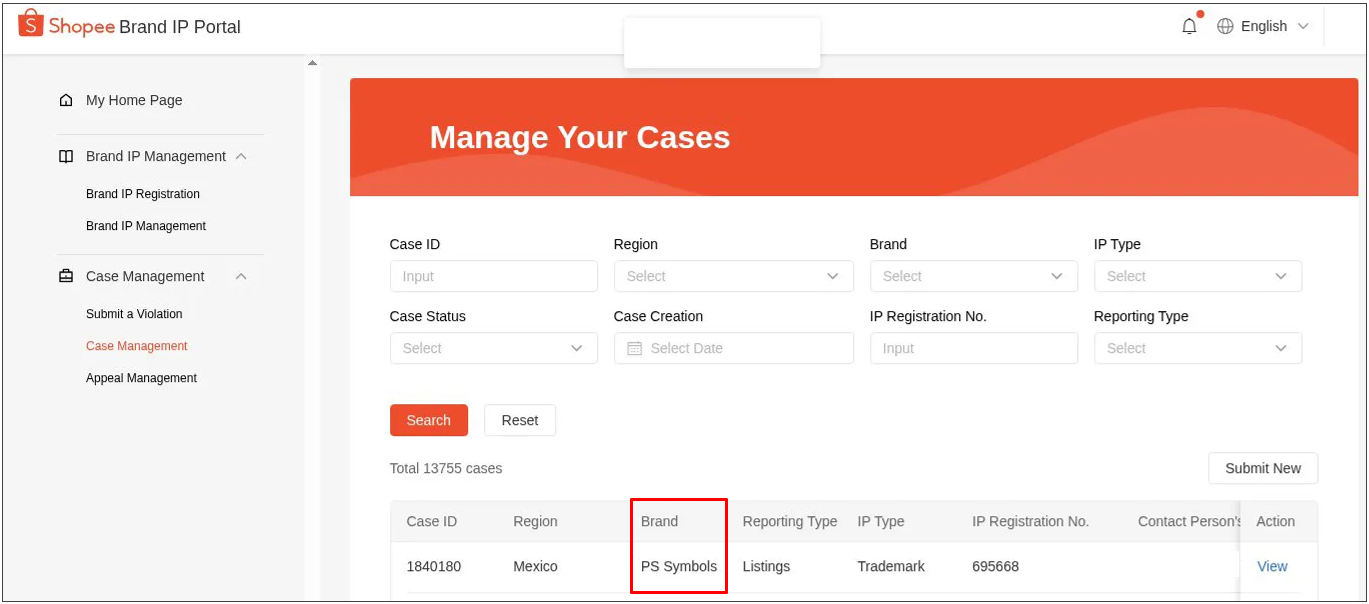
Many organizations use different brand names in Zeal and the Shopee IP Portal, causing auto-enforcement mismatches. To resolve this, two new fields have been introduced:
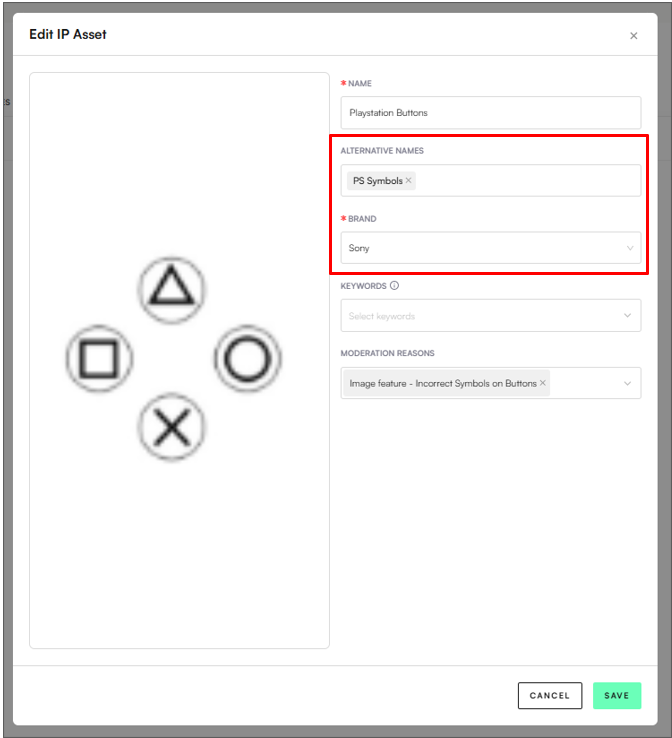
1. Alternative Name (under IP Assets section):
Enter the brand name as it appears in the Shopee IP Portal.
In the example below, the IP Asset “PlayStation Buttons” is linked to the brand Sony. However, since the Shopee IP Portal lists this asset under the brand “PS Symbols”, the Alternative Name field has been updated to “PS Symbols”.
2. Platform Compatible (under IP Certificates section):
After updating the Alternative Name, users must go to the IP Certificates section, edit the relevant certificate, and add “Shopee” to the new Platform Compatibility field.
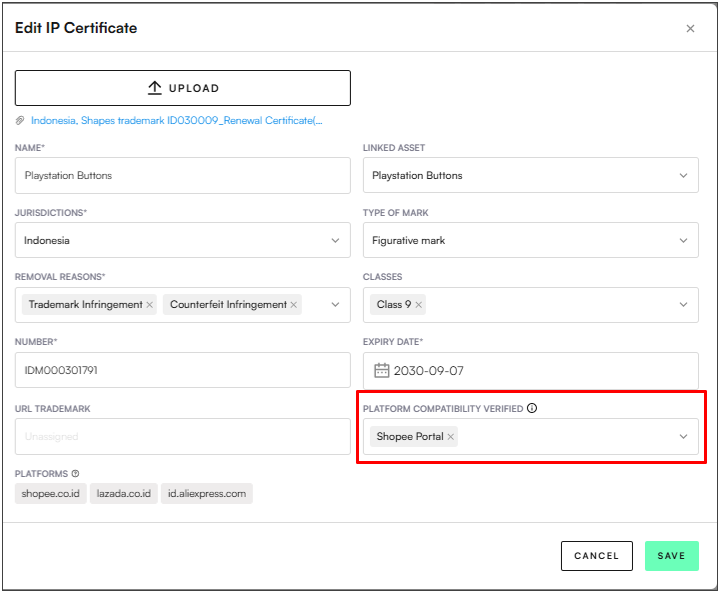
Note: The Region, Brand, Type of IP, and IP Registration Number must exactly match the data in Shopee IPP, with all values being case-sensitive (e.g., Sony ≠ SONY). You will need to populate the Alternate Brand (IP Assets) and the Platform Compatibility Verified (IP Certificates) fields for all assets and certificates that will be used for Shopee enforcement.
You’re all set for automated enforcement on Shopee through IP Portal!
What do to next: Test the Shopee setup by sending an automated enforcement to the platform through Zeal.
Open Settings → Enforce → Enforced Domains.
Click the Add (+) button to create a new domain entry.
Use the search function to locate and select all Alibaba/AliExpress/Lazada/Miravia domains.
Set the Method to IP Portal.
Set the System to Automatic.
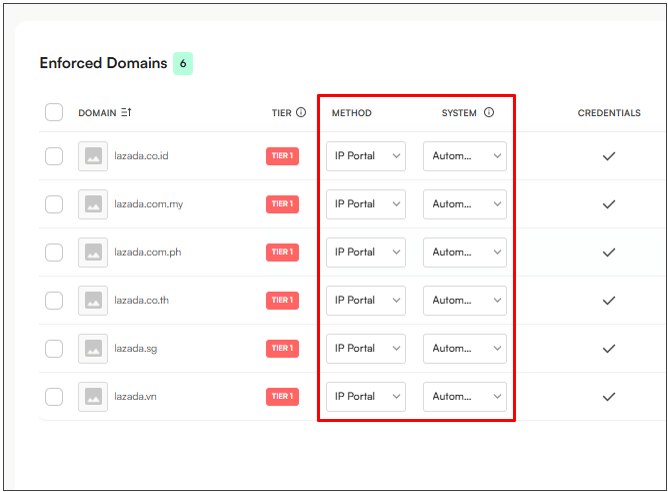
Navigate to Enforce → Platform Credentials
Click the Add (+) button to create new platform credentials
Select Manual Credentials
Select all Alibaba/AliExpress/Lazada/Miravia domains from the platforms dropdown menu
Set the type to Login
Add your Alibaba/AliExpress/Lazada/Miravia portal login credentials in the username and password fields
Click Save
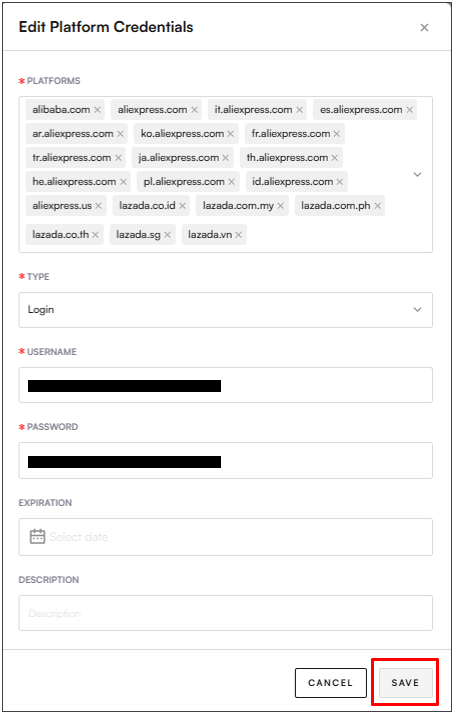
Note: Because Alibaba/AliExpress/Lazada/Miravia all belong to the Alibaba Group, usually the login credentials for Alibaba Portal will be the same for all alibaba group domains.
You’re all set for automated enforcement on Alibaba/AliExpress/Lazada/Miravia through IP Portal!
What to do next: Test the setup by sending an automated enforcement in the Notice View.
