Last Update: 11/11/2025
The following domains are available for API enforcement:
eBay
META (Facebook & Instagram)
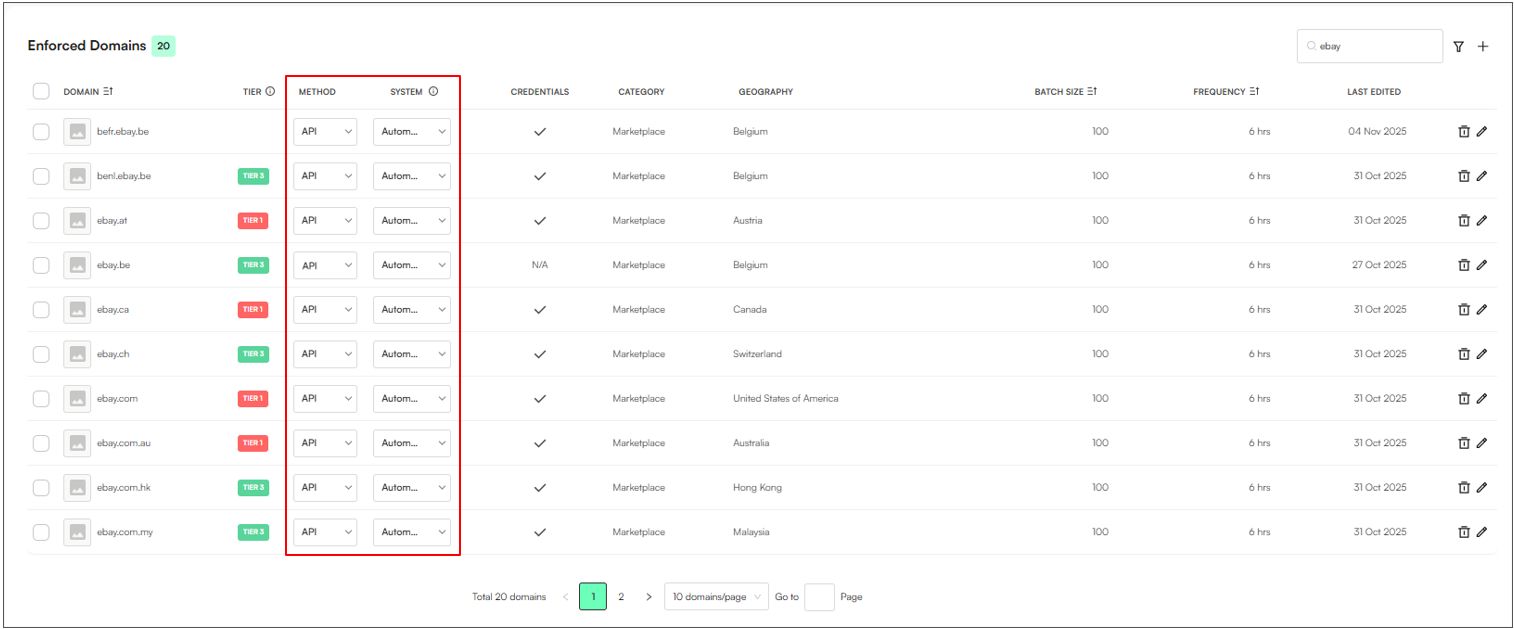
Open Settings → Enforce → Enforced Domains.
Click the Add (+) button to create a new domain entry.
Use the search function to locate and select all eBay domains.
Set the Method to API.
Set the System to Automatic.
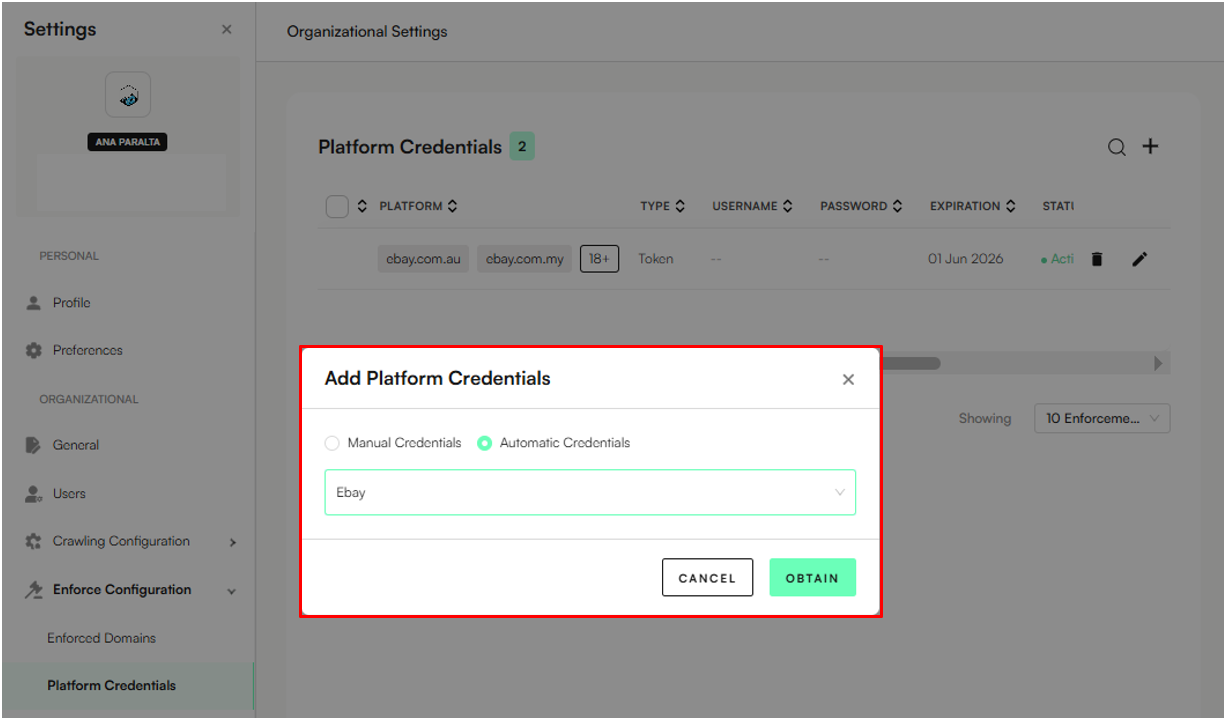
Navigate to Enforce → Platform Credentials
Click the Add (+) button to create new platform credentials.
Select Automatic Credentials and choose eBay from the dropdown
Click Obtain
Go to the eBay login page
Sign in with your client/brand VERO account
You will be prompted with the page below:
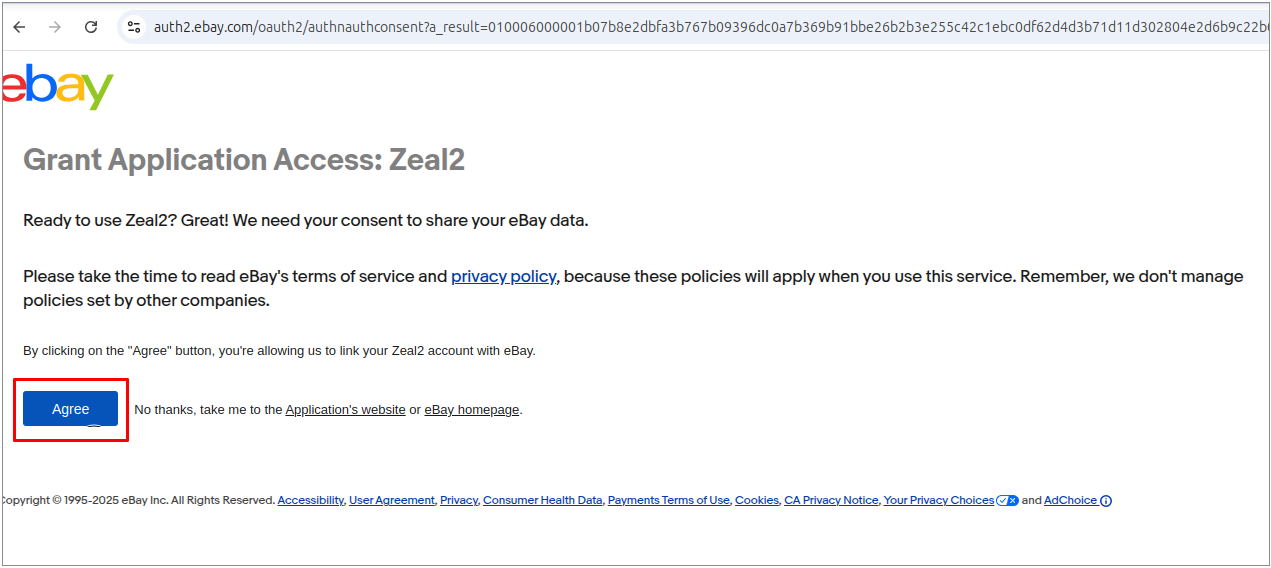
Click Agree
Go back to Platform Credentials
Click the pencil icon to edit the credentials - the eBay token should now automatically appear.
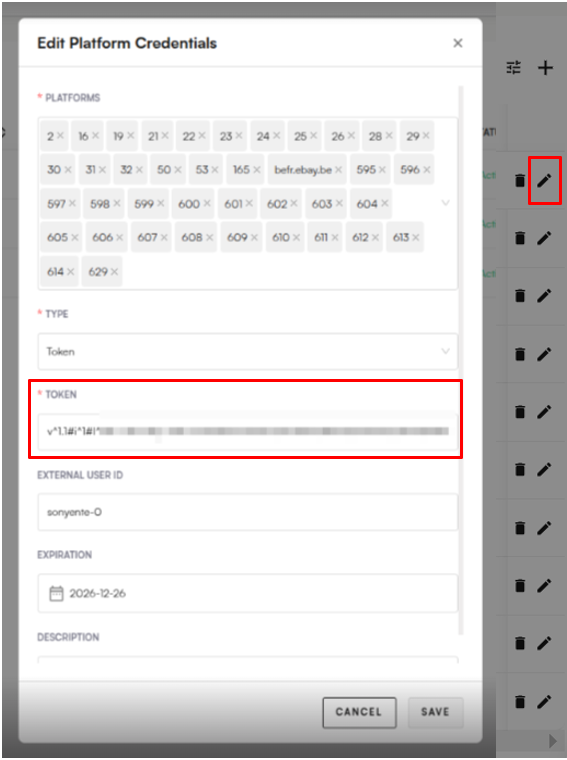
You’re all set for automated enforcement on Ebay through API!
What do to next: Test the eBay setup by sending an automated enforcement to the platform through Zeal.
Note: Confirm that the eBay account you will be using is a VERO registered account. If your account is not VERO registered, you can use the automated email enforcement method instead: Email Auto-enforcement Configuration.
Open Settings → Enforce → Enforced Domains.
Click the Add (+) button to create a new domain entry.
Use the search function to locate and select all Facebook & Instagram domains:
facebook.com
facebook.com/marketplace
facebook.com/ads
instagram.com
Set the Method to API.
Set the System to Automatic.
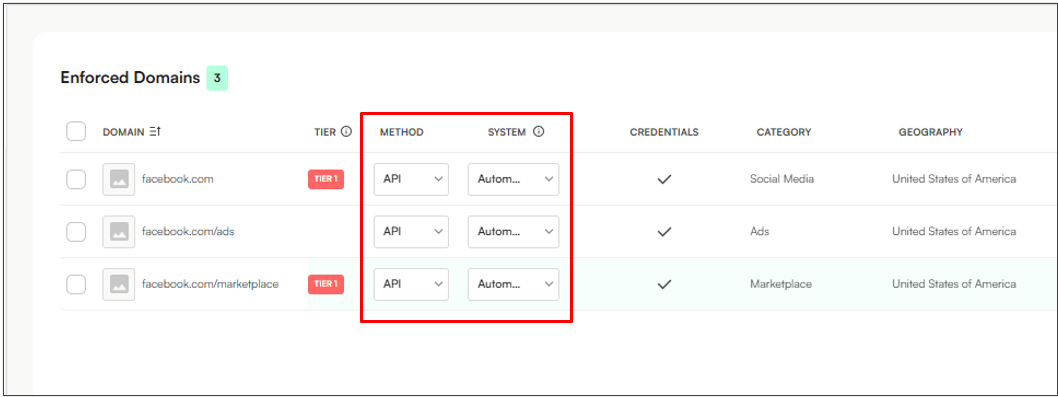
You’re all set for automated enforcement on META (Facebook & Instagram) through API!
What to do next: Test the META setup by sending an automated enforcement to Facebook/Instagram in the Notice View.
Note: You do not need to add Platform Credentials for META API auto-enforcement.
