The Notice View serves as a centralized hub for managing all legal notices related to infringement cases.
From this view, users can:
🧭 Access and review all submitted legal notices in one place
📊 Track the status and progress of each notice across different platforms and countries
📝 Maintain clear records for compliance, legal follow-ups, and reporting
🤝 Streamline collaboration between moderators, legal teams, and enforcement specialists
Whether notices are generated manually or automatically, the Notice View ensures that enforcement actions remain transparent, traceable, and organized.
The Notice View groups all infringing items that are ready for enforcement into batches, each assigned a unique Notice ID.
The takedown process is divided into three clear stages:
🕓 Queued – Notice is created and awaiting action
🔄 In Progress – Notice is being processed and sent
✅ Processed – Notice has been successfully actioned
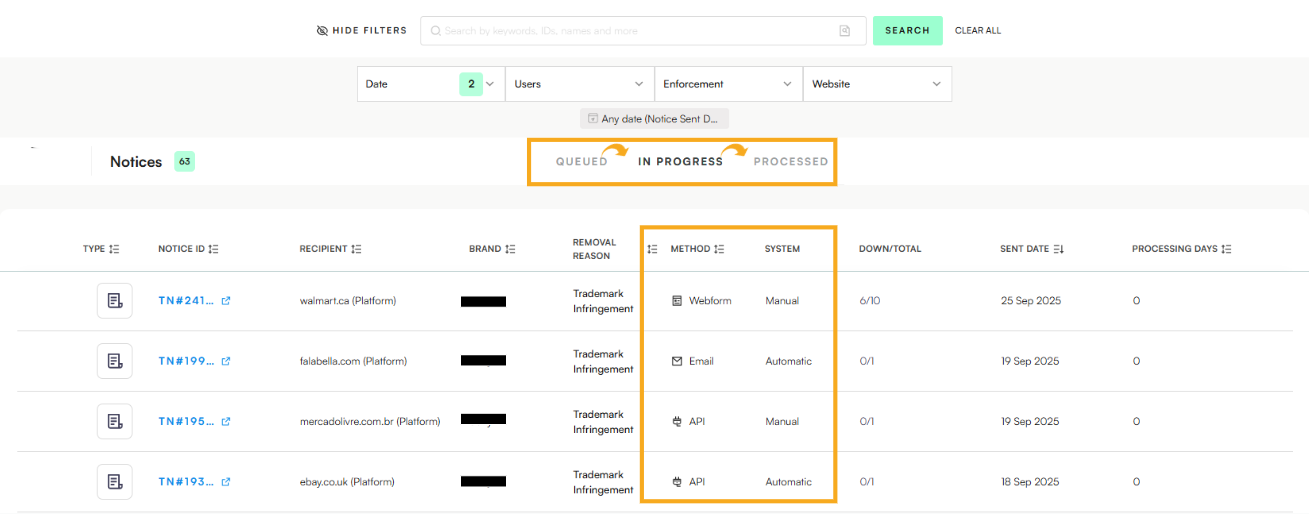
The following columns provide key details about how the notice was handled:
Method → Indicates the enforcement method used (e.g., Email, API, or IP Portal)
System → Specifies whether the enforcement is carried out automatically or manually
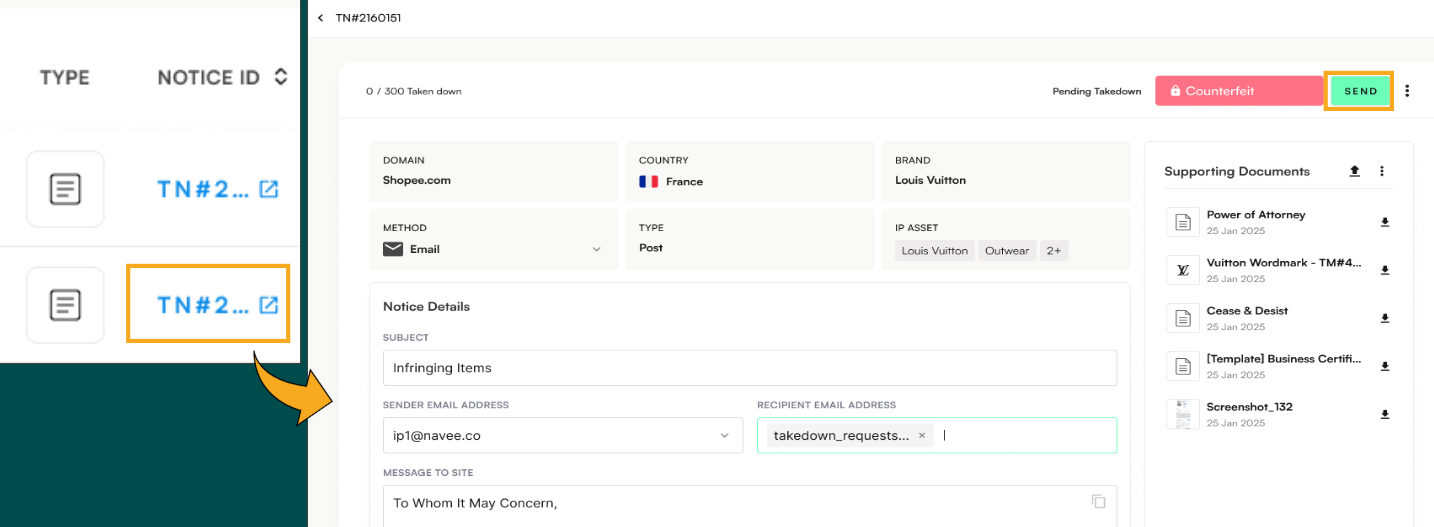
Clicking on a Notice ID opens a new window containing all the key enforcement details, including:
🌐 Domain / Platform – Marketplace, social media platform, or website involved
🗺 Country – Location associated with the infringement
🏷 Brands Affected – All impacted brands linked to the notice
Supporting Documents - All documents needed for enforcement (POA, IP Certificates)
🧰 Enforcement Method – How the notice will be sent (Email, Webform, or API)
Once the information is reviewed, you can choose how to proceed:
Send Now – Sends the notice directly to the relevant marketplace, platform, or website.
Send Now – Also used to log and track manual takedown actions that were carried out outside the platform.
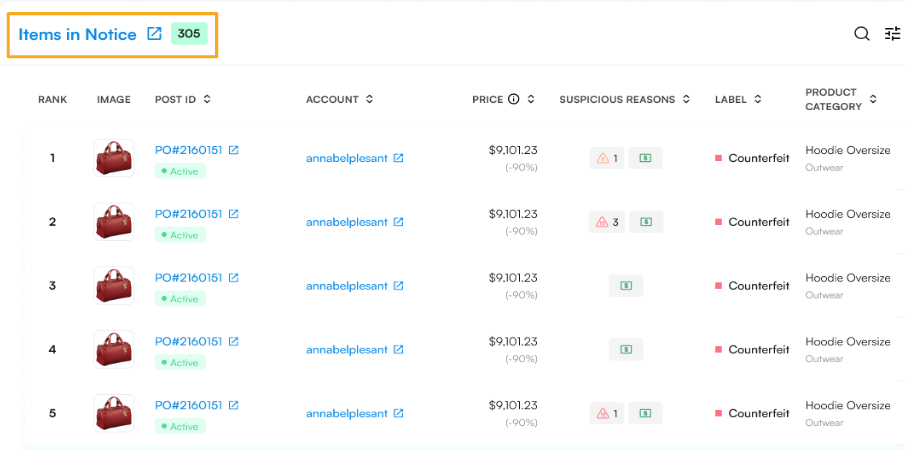
Scrolling further down within a Notice reveals additional enforcement details, including:
📝 Number of Items/Posts – Displays how many infringing listings are included in the notice.
This section provides a clear overview of the scope and reach of each notice, helping users understand the full impact of their enforcement action.
Each Notice contains a pre-configured message tailored to the requirements of the specific platform. For example, eBay may require different wording than Shopee, ensuring that each notice meets platform-specific reporting standards.
Enforcers have the flexibility to:
✍ Edit the pre-configured message before sending, if adjustments are needed
💬 Reply within the notice thread once the notice has moved to In Progress, enabling direct follow-up communication
📎 Attach additional documentation to their replies to support the enforcement action
Related articles: Enforcement Workflow, IP Assets, IP Certificates
